Articles
BeagleBone Black and OSD335x EEPROM During Boot
Understanding and programming the EEPROM used during boot on BeagleBone Black and OSD335x systems
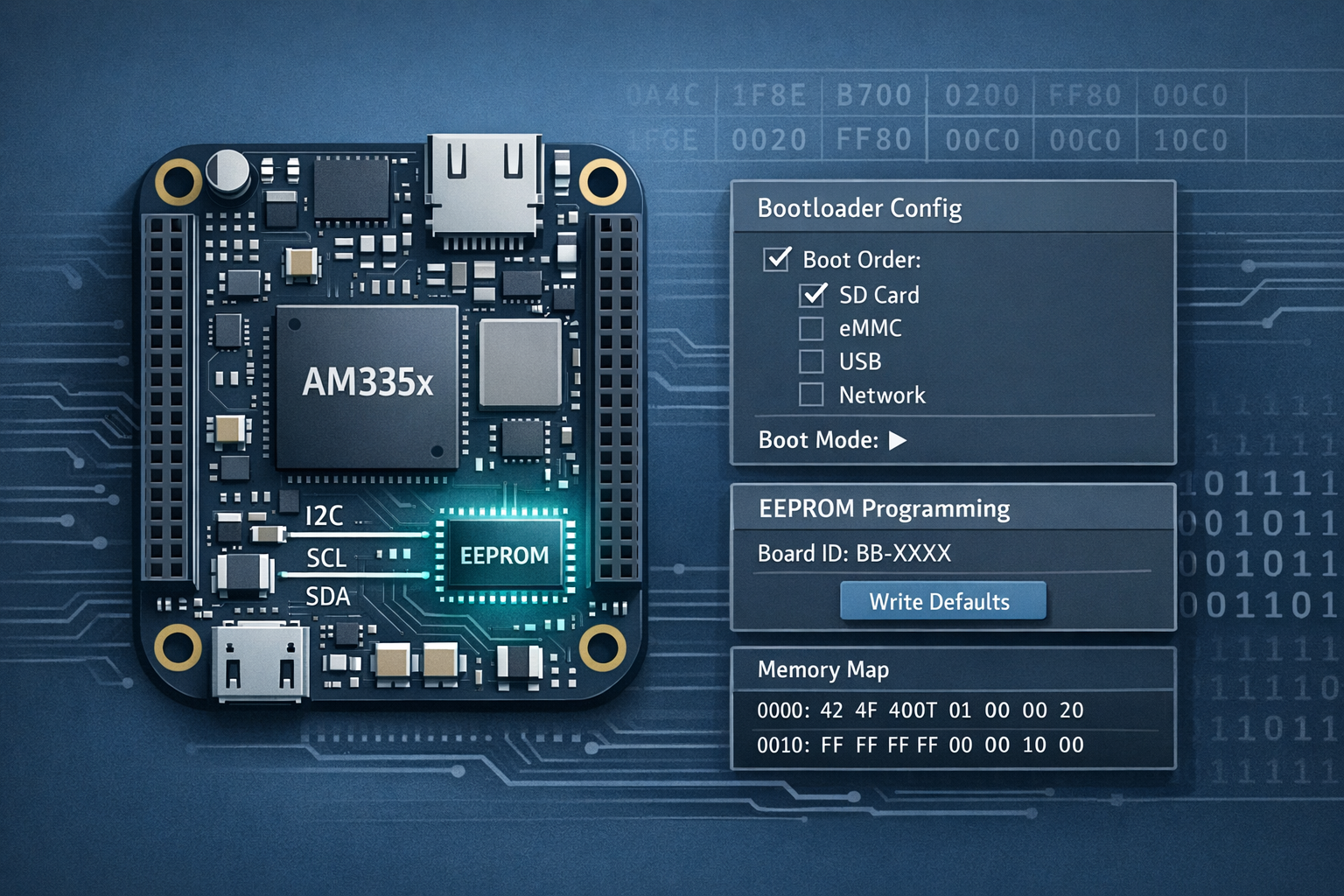
There is a 32 Kbit (4 KB) EEPROM that software such as U-Boot uses to identify the board during boot.
If you have developed your own board, the contents of the EEPROM will initially be blank, which can make life interesting because there is no information available for software to configure itself correctly.
EEPROM Fields
| Name | Offset | Size (Bytes) | Description |
|---|---|---|---|
| Header | 0 | 4 | The BeagleBone magic number 0xAA 0x55 0x33 0xEE |
| Board Name | 4 | 8 | The board name in ASCII, for example A335BNLT for the BeagleBone Black |
| Version | 12 | 4 | The board revision in ASCII |
| Serial Number | 16 | 12 | A 12 character string made up of production week, production year, board type, and a 4 digit incrementing board number |
| Configuration Options | 28 | 32 | Board configuration, normally all 0xFF |
| Reserved 1 | 60 | 6 | All 0xFF |
| Reserved 2 | 66 | 6 | All 0xFF |
| Reserved 3 | 72 | 6 | All 0xFF |
| User Data | 78 | 4018 | Available for user data and initially all 0xFF |
Reading the EEPROM
The EEPROM is connected via I2C on I2C0 with a device address of 0x50.
The contents are available from userspace at:
/sys/bus/i2c/devices/0-0050/eepromBecause the EEPROM contents are raw bytes, a utility such as hexdump is useful.
Using hexdump
A simple format is:
hexdump -e "FORMAT STRING" FILENAME -s START_BYTE -n NUMBER_OF_BYTES_TO_READFor example, to read the board name:
hexdump -e '8/1 "%c"' /sys/bus/i2c/devices/0-0050/eeprom -s 4 -n 8Other Methods
Because the EEPROM is just exposed as a file, you can use any utility that can read raw data. I also wrote a small Python 3 utility to read the EEPROM, which is available on GitHub.
Understanding the EEPROM Fields
Most of these fields are relevant to U-Boot during the boot process, allowing a single U-Boot binary to boot multiple board designs.
Header or Magic Number
The header bytes are read by U-Boot to identify that the board is a BeagleBone-family board.
Board Name and Version
U-Boot uses the board name and version for further configuration. The characters A335 indicate that the board uses an AM335x device. The next four characters identify the board.
Common values include:
BNLTfor the BeagleBone BlackBLNKfor a blank board, where U-Boot will look for/boot/.eeprom.txtand use it to program the EEPROMPBGLfor the PocketBeagle
Serial Number
If you are using a standard BeagleBone, the serial number will already be programmed. For a custom design, you will need your own numbering scheme. It can be useful to expose the serial number for debugging and production traceability.
User Data
The 4018 bytes of user data can store any information you want. I have found this especially useful on bespoke boards where system-specific values allow a single software image to support multiple hardware variants.
Writing to the EEPROM
Because U-Boot uses the EEPROM fields for configuration, if your EEPROM is blank you will probably need to populate at least the magic number and board name, and possibly the version as well.
The simplest way to do this is from U-Boot during boot. There are two main approaches:
- Program it interactively
- Program it with a boot script
Programming the EEPROM Interactively
If you can access the U-Boot console during boot, you can program the EEPROM interactively. This requires a boot delay in your uEnv.txt, for example:
bootdelay=2If you have a serial console connected, you should see something like:
U-Boot SPL 2019.04-00002-gbb4af0f50f (Jul 08 2019 - 11:44:39 -0500)
Trying to boot from MMC1
Loading Environment from EXT4... ** File not found /boot/uboot.env **
** Unable to read "/boot/uboot.env" from mmc0:1 **

U-Boot 2019.04-00002-gbb4af0f50f (Jul 08 2019 - 11:44:39 -0500), Build: jenkins-github_Bootloader-Builder-128
CPU  : AM335X-GP rev 2.0
I2C:   ready
DRAM:  512 MiB
No match for driver 'omap_hsmmc'
No match for driver 'omap_hsmmc'
Some drivers were not found
Reset Source: Global warm SW reset has occurred.
Reset Source: Power-on reset has occurred.
RTC 32KCLK Source: External.
MMC:   OMAP SD/MMC: 0, OMAP SD/MMC: 1
Loading Environment from EXT4... ** File not found /boot/uboot.env **
** Unable to read "/boot/uboot.env" from mmc0:1 **
Board: BeagleBone Black
<ethaddr> not set. Validating first E-fuse MAC
BeagleBone Black:
BeagleBone: cape eeprom: i2c_probe: 0x54:
BeagleBone: cape eeprom: i2c_probe: 0x55:
BeagleBone: cape eeprom: i2c_probe: 0x56:
BeagleBone: cape eeprom: i2c_probe: 0x57:
Net:   eth0: MII MODE
cpsw, usb_ether
Press SPACE to abort autoboot in 2 seconds
=>
Knowing the EEPROM is on I2C0, you can select the bus and then use the U-Boot i2c commands to write data. The write command format is:
i2c mw DEVICE_ADDRESS BYTE_NUMBER.2 HEX_VALUEFor example:
# Set i2c device
i2c dev 0

# Set the header magic number: 0xAA5533EE
i2c mw 0x50 0x00.2 aa
i2c mw 0x50 0x01.2 55
i2c mw 0x50 0x02.2 33
i2c mw 0x50 0x03.2 ee

# Set the board name (bytes 0-3): "A335"
i2c mw 0x50 0x04.2 41
i2c mw 0x50 0x05.2 33
i2c mw 0x50 0x06.2 33
i2c mw 0x50 0x07.2 35

# Set the board name (bytes 4-7): "BNLT"
i2c mw 0x50 0x08.2 42
i2c mw 0x50 0x09.2 4e
i2c mw 0x50 0x0a.2 4c
i2c mw 0x50 0x0b.2 54

# Set the board version - only required for BeagleBone devices
i2c mw 0x50 0x0c.2 30
i2c mw 0x50 0x0d.2 41
i2c mw 0x50 0x0e.2 35
i2c mw 0x50 0x0f.2 43
You can then read the values back with:
=> i2c dev 0
Setting bus to 0
=> i2c md 0x50 0x00.2 20
0000: aa 55 33 ee 41 33 33 35 42 4e 4c 54 30 41 35 43    .U3.A335BNLT0A5C
0010: 32 38 31 33 42 42 42 4b 33 32 37 36 ff ff ff ff    2813BBBK3276....
=>
Using a Script to Program the EEPROM
As part of the boot process, U-Boot looks for a file called:
/boot/boot.scrIf it finds it, it will run it.
This is not a plain text file. It is a compiled script produced with the mkimage tool from U-Boot, which is built as part of the U-Boot build process.
To create boot.scr, first write a plain text file containing the U-Boot commands you want to run, such as the EEPROM programming commands above.
Then compile it with:
mkimage -T script -C none -n 'Program EEPROM' -d SOURCE_FILE boot.scrCopy boot.scr to /boot/boot.scr and reboot. On the next boot, the EEPROM should be programmed automatically.
Related posts
Browse all posts
Pinmux for BeagleBone Black, AM335x and OSD335x
A reference table for mapping BeagleBone Black header pins to OSD335x and AM335x pinmux options
Compiling U-Boot for the BeagleBone Black and OSD335x
How to build a custom U-Boot for BeagleBone Black and Octavo Systems OSD335x designs
Inspecting and Editing Device Trees with VS Code
Using a VS Code extension to preview the final merged Linux Device Tree while retaining the source of properties, nodes and overrides.