Articles
Resizing an Embedded Linux Filesystem on First Boot
Automatically expanding a Yocto root filesystem on first boot, from repairing the GPT through to resizing the ext4 filesystem.
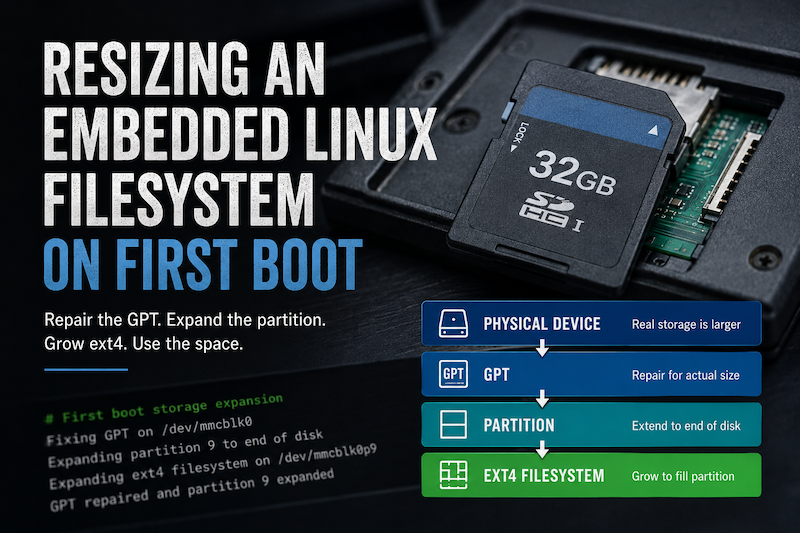
Resizing an Embedded Linux Filesystem on First Boot
When creating a WIC system image for a Yocto project, you don’t always know the final size of your storage - especially when working with SD Cards. It is safer to create an image that is smaller than the target disk, because if it is bigger you will not be able to flash it.
This leads to a few ‘issues’. I class them as issues not problems because there is nothing wrong with the system - it could just be better. The root filesystem is not taking advantage of the extra space available.
At first glance this looks like a simple filesystem resizing problem: find the root filesystem and run resize2fs. In practice, there are several layers between the physical storage and the filesystem, and each of them reflect the size of the original image and so should be adjusted.
The outline process is:
- determine which partition contained the running root filesystem;
- repair the GPT to account for the actual size of the storage device;
- extend the root partition into the additional space;
- expand the ext4 filesystem to use the enlarged partition; and
- make sure the operation wasn’t repeated on every boot.
Writing a disk image to a larger device doesn’t automatically resize everything contained within that image.
There are several separate layers involved:
%3btext-align:center%3b%7d%23mermaid-0 .edgeLabel p%7bbackground-color:rgba(232%2c232%2c232%2c 0.8)%3b%7d%23mermaid-0 .edgeLabel rect%7bopacity:0.5%3bbackground-color:rgba(232%2c232%2c232%2c 0.8)%3bfill:rgba(232%2c232%2c232%2c 0.8)%3b%7d%23mermaid-0 .labelBkg%7bbackground-color:rgba(232%2c 232%2c 232%2c 0.5)%3b%7d%23mermaid-0 .cluster rect%7bfill:%23ffffde%3bstroke:%23aaaa33%3bstroke-width:1px%3b%7d%23mermaid-0 .cluster text%7bfill:%23333%3b%7d%23mermaid-0 .cluster span%7bcolor:%23333%3b%7d%23mermaid-0 .node .collapsed-indicator%7bfill:%23aaaa33%3bstroke:none%3bopacity:0.6%3b%7d%23mermaid-0 .node .collapsed-separator%7bstroke:%23aaaa33%3bstroke-width:0.75px%3b%7d%23mermaid-0 div.mermaidTooltip%7bposition:absolute%3btext-align:center%3bmax-width:200px%3bpadding:2px%3bfont-family:arial%2csans-serif%3bfont-size:12px%3bbackground:hsl(80%2c 100%25%2c 96.2745098039%25)%3bborder:1px solid %23aaaa33%3bborder-radius:2px%3bpointer-events:none%3bz-index:100%3b%7d%23mermaid-0 .flowchartTitleText%7btext-anchor:middle%3bfont-size:18px%3bfill:%23333%3b%7d%23mermaid-0 rect.text%7bfill:none%3bstroke-width:0%3b%7d%23mermaid-0 .icon-shape%2c%23mermaid-0 .image-shape%7bbackground-color:rgba(232%2c232%2c232%2c 0.8)%3btext-align:center%3b%7d%23mermaid-0 .icon-shape p%2c%23mermaid-0 .image-shape p%7bbackground-color:rgba(232%2c232%2c232%2c 0.8)%3bpadding:2px%3b%7d%23mermaid-0 .icon-shape .label rect%2c%23mermaid-0 .image-shape .label rect%7bopacity:0.5%3bbackground-color:rgba(232%2c232%2c232%2c 0.8)%3bfill:rgba(232%2c232%2c232%2c 0.8)%3b%7d%23mermaid-0 .label-icon%7bdisplay:inline-block%3bheight:1em%3boverflow:visible%3bvertical-align:-0.125em%3b%7d%23mermaid-0 .node .label-icon path%7bfill:currentColor%3bstroke:revert%3bstroke-width:revert%3b%7d%23mermaid-0 .node .neo-node%7bstroke:%239370DB%3b%7d%23mermaid-0 %5bdata-look='neo'%5d.node rect%2c%23mermaid-0 %5bdata-look='neo'%5d.cluster rect%2c%23mermaid-0 %5bdata-look='neo'%5d.node polygon%7bstroke:%239370DB%3bfilter:drop-shadow(1px 2px 2px rgba(185%2c 185%2c 185%2c 1))%3b%7d%23mermaid-0 %5bdata-look='neo'%5d.swimlane.cluster rect%7bfilter:none%3b%7d%23mermaid-0 %5bdata-look='neo'%5d.node path%7bstroke:%239370DB%3bstroke-width:1px%3b%7d%23mermaid-0 %5bdata-look='neo'%5d.node .outer-path%7bfilter:drop-shadow(1px 2px 2px rgba(185%2c 185%2c 185%2c 1))%3b%7d%23mermaid-0 %5bdata-look='neo'%5d.node .neo-line path%7bstroke:%239370DB%3bfilter:none%3b%7d%23mermaid-0 %5bdata-look='neo'%5d.node circle%7bstroke:%239370DB%3bfilter:drop-shadow(1px 2px 2px rgba(185%2c 185%2c 185%2c 1))%3b%7d%23mermaid-0 %5bdata-look='neo'%5d.node circle .state-start%7bfill:black%3b%7d%23mermaid-0 %5bdata-look='neo'%5d.icon-shape .icon%7bfill:%239370DB%3bfilter:drop-shadow(1px 2px 2px rgba(185%2c 185%2c 185%2c 1))%3b%7d%23mermaid-0 %5bdata-look='neo'%5d.icon-shape .icon-neo path%7bstroke:%239370DB%3bfilter:drop-shadow(1px 2px 2px rgba(185%2c 185%2c 185%2c 1))%3b%7d%23mermaid-0 :root%7b--mermaid-font-family:arial%2csans-serif%3b%7d%3c/style%3e%3cg%3e%3cmarker id='mermaid-0_flowchart-v2-pointEnd' class='marker flowchart-v2' viewBox='0 0 10 10' refX='5' refY='5' markerUnits='userSpaceOnUse' markerWidth='8' markerHeight='8' orient='auto'%3e%3cpath d='M 0 0 L 10 5 L 0 10 z' class='arrowMarkerPath' style='stroke-width: 1%3b stroke-dasharray: 1%2c 0%3b'/%3e%3c/marker%3e%3cmarker id='mermaid-0_flowchart-v2-pointStart' class='marker flowchart-v2' viewBox='0 0 10 10' refX='4.5' refY='5' markerUnits='userSpaceOnUse' markerWidth='8' markerHeight='8' orient='auto'%3e%3cpath d='M 0 5 L 10 10 L 10 0 z' class='arrowMarkerPath' style='stroke-width: 1%3b stroke-dasharray: 1%2c 0%3b'/%3e%3c/marker%3e%3cmarker id='mermaid-0_flowchart-v2-pointEnd-margin' class='marker flowchart-v2' viewBox='0 0 11.5 14' refX='11.5' refY='7' markerUnits='userSpaceOnUse' markerWidth='10.5' markerHeight='14' orient='auto'%3e%3cpath d='M 0 0 L 11.5 7 L 0 14 z' class='arrowMarkerPath' style='stroke-width: 0%3b stroke-dasharray: 1%2c 0%3b'/%3e%3c/marker%3e%3cmarker id='mermaid-0_flowchart-v2-pointStart-margin' class='marker flowchart-v2' viewBox='0 0 11.5 14' refX='1' refY='7' markerUnits='userSpaceOnUse' markerWidth='11.5' markerHeight='14' orient='auto'%3e%3cpolygon points='0%2c7 11.5%2c14 11.5%2c0' class='arrowMarkerPath' style='stroke-width: 0%3b stroke-dasharray: 1%2c 0%3b'/%3e%3c/marker%3e%3cmarker id='mermaid-0_flowchart-v2-circleEnd' class='marker flowchart-v2' viewBox='0 0 10 10' refX='11' refY='5' markerUnits='userSpaceOnUse' markerWidth='11' markerHeight='11' orient='auto'%3e%3ccircle cx='5' cy='5' r='5' class='arrowMarkerPath' style='stroke-width: 1%3b stroke-dasharray: 1%2c 0%3b'/%3e%3c/marker%3e%3cmarker id='mermaid-0_flowchart-v2-circleStart' class='marker flowchart-v2' viewBox='0 0 10 10' refX='-1' refY='5' markerUnits='userSpaceOnUse' markerWidth='11' markerHeight='11' orient='auto'%3e%3ccircle cx='5' cy='5' r='5' class='arrowMarkerPath' style='stroke-width: 1%3b stroke-dasharray: 1%2c 0%3b'/%3e%3c/marker%3e%3cmarker id='mermaid-0_flowchart-v2-circleEnd-margin' class='marker flowchart-v2' viewBox='0 0 10 10' refY='5' refX='12.25' markerUnits='userSpaceOnUse' markerWidth='14' markerHeight='14' orient='auto'%3e%3ccircle cx='5' cy='5' r='5' class='arrowMarkerPath' style='stroke-width: 0%3b stroke-dasharray: 1%2c 0%3b'/%3e%3c/marker%3e%3cmarker id='mermaid-0_flowchart-v2-circleStart-margin' class='marker flowchart-v2' viewBox='0 0 10 10' refX='-2' refY='5' markerUnits='userSpaceOnUse' markerWidth='14' markerHeight='14' orient='auto'%3e%3ccircle cx='5' cy='5' r='5' class='arrowMarkerPath' style='stroke-width: 0%3b stroke-dasharray: 1%2c 0%3b'/%3e%3c/marker%3e%3cmarker id='mermaid-0_flowchart-v2-crossEnd' class='marker cross flowchart-v2' viewBox='0 0 11 11' refX='12' refY='5.2' markerUnits='userSpaceOnUse' markerWidth='11' markerHeight='11' orient='auto'%3e%3cpath d='M 1%2c1 l 9%2c9 M 10%2c1 l -9%2c9' class='arrowMarkerPath' style='stroke-width: 2%3b stroke-dasharray: 1%2c 0%3b'/%3e%3c/marker%3e%3cmarker id='mermaid-0_flowchart-v2-crossStart' class='marker cross flowchart-v2' viewBox='0 0 11 11' refX='-1' refY='5.2' markerUnits='userSpaceOnUse' markerWidth='11' markerHeight='11' orient='auto'%3e%3cpath d='M 1%2c1 l 9%2c9 M 10%2c1 l -9%2c9' class='arrowMarkerPath' style='stroke-width: 2%3b stroke-dasharray: 1%2c 0%3b'/%3e%3c/marker%3e%3cmarker id='mermaid-0_flowchart-v2-crossEnd-margin' class='marker cross flowchart-v2' viewBox='0 0 15 15' refX='17.7' refY='7.5' markerUnits='userSpaceOnUse' markerWidth='12' markerHeight='12' orient='auto'%3e%3cpath d='M 1%2c1 L 14%2c14 M 1%2c14 L 14%2c1' class='arrowMarkerPath' style='stroke-width: 2.5%3b'/%3e%3c/marker%3e%3cmarker id='mermaid-0_flowchart-v2-crossStart-margin' class='marker cross flowchart-v2' viewBox='0 0 15 15' refX='-3.5' refY='7.5' markerUnits='userSpaceOnUse' markerWidth='12' markerHeight='12' orient='auto'%3e%3cpath d='M 1%2c1 L 14%2c14 M 1%2c14 L 14%2c1' class='arrowMarkerPath' style='stroke-width: 2.5%3b stroke-dasharray: 1%2c 0%3b'/%3e%3c/marker%3e%3cg class='root'%3e%3cg class='clusters'/%3e%3cg class='edgePaths'%3e%3cpath d='M138%2c62L138%2c68.167C138%2c74.333%2c138%2c86.667%2c138%2c98.333C138%2c110%2c138%2c121%2c138%2c126.5L138%2c132' id='mermaid-0-L_device_GPT_0' class='edge-thickness-normal edge-pattern-solid edge-thickness-normal edge-pattern-solid flowchart-link' style='%3b' data-edge='true' data-et='edge' data-id='L_device_GPT_0' data-points='W3sieCI6MTM4LCJ5Ijo2Mn0seyJ4IjoxMzgsInkiOjk5fSx7IngiOjEzOCwieSI6MTM2fV0=' data-look='classic' marker-end='url(%23mermaid-0_flowchart-v2-pointEnd)'/%3e%3cpath d='M138%2c190L138%2c196.167C138%2c202.333%2c138%2c214.667%2c138%2c226.333C138%2c238%2c138%2c249%2c138%2c254.5L138%2c260' id='mermaid-0-L_GPT_Partition_0' class='edge-thickness-normal edge-pattern-solid edge-thickness-normal edge-pattern-solid flowchart-link' style='%3b' data-edge='true' data-et='edge' data-id='L_GPT_Partition_0' data-points='W3sieCI6MTM4LCJ5IjoxOTB9LHsieCI6MTM4LCJ5IjoyMjd9LHsieCI6MTM4LCJ5IjoyNjR9XQ==' data-look='classic' marker-end='url(%23mermaid-0_flowchart-v2-pointEnd)'/%3e%3cpath d='M138%2c318L138%2c324.167C138%2c330.333%2c138%2c342.667%2c138%2c354.333C138%2c366%2c138%2c377%2c138%2c382.5L138%2c388' id='mermaid-0-L_Partition_filesystem_0' class='edge-thickness-normal edge-pattern-solid edge-thickness-normal edge-pattern-solid flowchart-link' style='%3b' data-edge='true' data-et='edge' data-id='L_Partition_filesystem_0' data-points='W3sieCI6MTM4LCJ5IjozMTh9LHsieCI6MTM4LCJ5IjozNTV9LHsieCI6MTM4LCJ5IjozOTJ9XQ==' data-look='classic' marker-end='url(%23mermaid-0_flowchart-v2-pointEnd)'/%3e%3cpath d='M138%2c446L138%2c452.167C138%2c458.333%2c138%2c470.667%2c138%2c482.333C138%2c494%2c138%2c505%2c138%2c510.5L138%2c516' id='mermaid-0-L_filesystem_files_0' class='edge-thickness-normal edge-pattern-solid edge-thickness-normal edge-pattern-solid flowchart-link' style='%3b' data-edge='true' data-et='edge' data-id='L_filesystem_files_0' data-points='W3sieCI6MTM4LCJ5Ijo0NDZ9LHsieCI6MTM4LCJ5Ijo0ODN9LHsieCI6MTM4LCJ5Ijo1MjB9XQ==' data-look='classic' marker-end='url(%23mermaid-0_flowchart-v2-pointEnd)'/%3e%3c/g%3e%3cg class='edgeLabels'%3e%3cg class='edgeLabel' transform='translate(138%2c 99)'%3e%3cg class='label' data-id='L_device_GPT_0' transform='translate(-87.6015625%2c -12)'%3e%3cforeignObject width='175.203125' height='24'%3e%3cdiv xmlns='http://www.w3.org/1999/xhtml' class='labelBkg' style='display: table-cell%3b white-space: nowrap%3b line-height: 1.5%3b max-width: 200px%3b text-align: center%3b'%3e%3cspan class='edgeLabel'%3e%3cp%3eactual number of sectors%3c/p%3e%3c/span%3e%3c/div%3e%3c/foreignObject%3e%3c/g%3e%3c/g%3e%3cg class='edgeLabel' transform='translate(138%2c 227)'%3e%3cg class='label' data-id='L_GPT_Partition_0' transform='translate(-82.265625%2c -12)'%3e%3cforeignObject width='164.53125' height='24'%3e%3cdiv xmlns='http://www.w3.org/1999/xhtml' class='labelBkg' style='display: table-cell%3b white-space: nowrap%3b line-height: 1.5%3b max-width: 200px%3b text-align: center%3b'%3e%3cspan class='edgeLabel'%3e%3cp%3edescribes the partitions%3c/p%3e%3c/span%3e%3c/div%3e%3c/foreignObject%3e%3c/g%3e%3c/g%3e%3cg class='edgeLabel' transform='translate(138%2c 355)'%3e%3cg class='label' data-id='L_Partition_filesystem_0' transform='translate(-83.15625%2c -12)'%3e%3cforeignObject width='166.3125' height='24'%3e%3cdiv xmlns='http://www.w3.org/1999/xhtml' class='labelBkg' style='display: table-cell%3b white-space: nowrap%3b line-height: 1.5%3b max-width: 200px%3b text-align: center%3b'%3e%3cspan class='edgeLabel'%3e%3cp%3eprovides a block device%3c/p%3e%3c/span%3e%3c/div%3e%3c/foreignObject%3e%3c/g%3e%3c/g%3e%3cg class='edgeLabel' transform='translate(138%2c 483)'%3e%3cg class='label' data-id='L_filesystem_files_0' transform='translate(-94.265625%2c -12)'%3e%3cforeignObject width='188.53125' height='24'%3e%3cdiv xmlns='http://www.w3.org/1999/xhtml' class='labelBkg' style='display: table-cell%3b white-space: nowrap%3b line-height: 1.5%3b max-width: 200px%3b text-align: center%3b'%3e%3cspan class='edgeLabel'%3e%3cp%3emanages filesystem space%3c/p%3e%3c/span%3e%3c/div%3e%3c/foreignObject%3e%3c/g%3e%3c/g%3e%3c/g%3e%3cg class='nodes'%3e%3cg class='node default' id='mermaid-0-flowchart-device-0' data-look='classic' transform='translate(138%2c 35)'%3e%3crect class='basic label-container' style='' x='-114.046875' y='-27' width='228.09375' height='54'/%3e%3cg class='label' style='' transform='translate(-84.046875%2c -12)'%3e%3crect/%3e%3cforeignObject width='168.09375' height='24'%3e%3cdiv xmlns='http://www.w3.org/1999/xhtml' style='display: table-cell%3b white-space: nowrap%3b line-height: 1.5%3b max-width: 200px%3b text-align: center%3b'%3e%3cspan class='nodeLabel'%3e%3cp%3ePhysical storage device%3c/p%3e%3c/span%3e%3c/div%3e%3c/foreignObject%3e%3c/g%3e%3c/g%3e%3cg class='node default' id='mermaid-0-flowchart-GPT-1' data-look='classic' transform='translate(138%2c 163)'%3e%3crect class='basic label-container' style='' x='-46.4453125' y='-27' width='92.890625' height='54'/%3e%3cg class='label' style='' transform='translate(-16.4453125%2c -12)'%3e%3crect/%3e%3cforeignObject width='32.890625' height='24'%3e%3cdiv xmlns='http://www.w3.org/1999/xhtml' style='display: table-cell%3b white-space: nowrap%3b line-height: 1.5%3b max-width: 200px%3b text-align: center%3b'%3e%3cspan class='nodeLabel'%3e%3cp%3eGPT%3c/p%3e%3c/span%3e%3c/div%3e%3c/foreignObject%3e%3c/g%3e%3c/g%3e%3cg class='node default' id='mermaid-0-flowchart-Partition-2' data-look='classic' transform='translate(138%2c 291)'%3e%3crect class='basic label-container' style='' x='-59.3515625' y='-27' width='118.703125' height='54'/%3e%3cg class='label' style='' transform='translate(-29.3515625%2c -12)'%3e%3crect/%3e%3cforeignObject width='58.703125' height='24'%3e%3cdiv xmlns='http://www.w3.org/1999/xhtml' style='display: table-cell%3b white-space: nowrap%3b line-height: 1.5%3b max-width: 200px%3b text-align: center%3b'%3e%3cspan class='nodeLabel'%3e%3cp%3ePartition%3c/p%3e%3c/span%3e%3c/div%3e%3c/foreignObject%3e%3c/g%3e%3c/g%3e%3cg class='node default' id='mermaid-0-flowchart-filesystem-3' data-look='classic' transform='translate(138%2c 419)'%3e%3crect class='basic label-container' style='' x='-82.90625' y='-27' width='165.8125' height='54'/%3e%3cg class='label' style='' transform='translate(-52.90625%2c -12)'%3e%3crect/%3e%3cforeignObject width='105.8125' height='24'%3e%3cdiv xmlns='http://www.w3.org/1999/xhtml' style='display: table-cell%3b white-space: nowrap%3b line-height: 1.5%3b max-width: 200px%3b text-align: center%3b'%3e%3cspan class='nodeLabel'%3e%3cp%3eext4 filesystem%3c/p%3e%3c/span%3e%3c/div%3e%3c/foreignObject%3e%3c/g%3e%3c/g%3e%3cg class='node default' id='mermaid-0-flowchart-files-4' data-look='classic' transform='translate(138%2c 559)'%3e%3crect class='basic label-container' style='' x='-130' y='-39' width='260' height='78'/%3e%3cg class='label' style='' transform='translate(-100%2c -24)'%3e%3crect/%3e%3cforeignObject width='200' height='48'%3e%3cdiv xmlns='http://www.w3.org/1999/xhtml' style='display: table%3b white-space: break-spaces%3b line-height: 1.5%3b max-width: 200px%3b text-align: center%3b width: 200px%3b'%3e%3cspan class='nodeLabel'%3e%3cp%3eFiles and free space visible to Linux%3c/p%3e%3c/span%3e%3c/div%3e%3c/foreignObject%3e%3c/g%3e%3c/g%3e%3c/g%3e%3c/g%3e%3c/g%3e%3cdefs%3e%3cfilter id='mermaid-0-drop-shadow' height='130%25' width='130%25'%3e%3cfeDropShadow dx='4' dy='4' stdDeviation='0' flood-opacity='0.06' flood-color='black'/%3e%3c/filter%3e%3c/defs%3e%3cdefs%3e%3cfilter id='mermaid-0-drop-shadow-small' height='150%25' width='150%25'%3e%3cfeDropShadow dx='2' dy='2' stdDeviation='0' flood-opacity='0.06' flood-color='black'/%3e%3c/filter%3e%3c/defs%3e%3c/svg%3e)
The GPT, partition boundary and ext4 filesystem all come from the original image, and so will all need updating to make use of the full disk space.
In this case there was an additional GPT complication. The backup GPT metadata had been created for the original image size and was therefore had the wrong metadata. This needs correcting before extending the partition to the real end of the device.
That meant there were three distinct operations required after identifying the root partition:
%3btext-align:center%3b%7d%23mermaid-1 .edgeLabel p%7bbackground-color:rgba(232%2c232%2c232%2c 0.8)%3b%7d%23mermaid-1 .edgeLabel rect%7bopacity:0.5%3bbackground-color:rgba(232%2c232%2c232%2c 0.8)%3bfill:rgba(232%2c232%2c232%2c 0.8)%3b%7d%23mermaid-1 .labelBkg%7bbackground-color:rgba(232%2c 232%2c 232%2c 0.5)%3b%7d%23mermaid-1 .cluster rect%7bfill:%23ffffde%3bstroke:%23aaaa33%3bstroke-width:1px%3b%7d%23mermaid-1 .cluster text%7bfill:%23333%3b%7d%23mermaid-1 .cluster span%7bcolor:%23333%3b%7d%23mermaid-1 .node .collapsed-indicator%7bfill:%23aaaa33%3bstroke:none%3bopacity:0.6%3b%7d%23mermaid-1 .node .collapsed-separator%7bstroke:%23aaaa33%3bstroke-width:0.75px%3b%7d%23mermaid-1 div.mermaidTooltip%7bposition:absolute%3btext-align:center%3bmax-width:200px%3bpadding:2px%3bfont-family:arial%2csans-serif%3bfont-size:12px%3bbackground:hsl(80%2c 100%25%2c 96.2745098039%25)%3bborder:1px solid %23aaaa33%3bborder-radius:2px%3bpointer-events:none%3bz-index:100%3b%7d%23mermaid-1 .flowchartTitleText%7btext-anchor:middle%3bfont-size:18px%3bfill:%23333%3b%7d%23mermaid-1 rect.text%7bfill:none%3bstroke-width:0%3b%7d%23mermaid-1 .icon-shape%2c%23mermaid-1 .image-shape%7bbackground-color:rgba(232%2c232%2c232%2c 0.8)%3btext-align:center%3b%7d%23mermaid-1 .icon-shape p%2c%23mermaid-1 .image-shape p%7bbackground-color:rgba(232%2c232%2c232%2c 0.8)%3bpadding:2px%3b%7d%23mermaid-1 .icon-shape .label rect%2c%23mermaid-1 .image-shape .label rect%7bopacity:0.5%3bbackground-color:rgba(232%2c232%2c232%2c 0.8)%3bfill:rgba(232%2c232%2c232%2c 0.8)%3b%7d%23mermaid-1 .label-icon%7bdisplay:inline-block%3bheight:1em%3boverflow:visible%3bvertical-align:-0.125em%3b%7d%23mermaid-1 .node .label-icon path%7bfill:currentColor%3bstroke:revert%3bstroke-width:revert%3b%7d%23mermaid-1 .node .neo-node%7bstroke:%239370DB%3b%7d%23mermaid-1 %5bdata-look='neo'%5d.node rect%2c%23mermaid-1 %5bdata-look='neo'%5d.cluster rect%2c%23mermaid-1 %5bdata-look='neo'%5d.node polygon%7bstroke:%239370DB%3bfilter:drop-shadow(1px 2px 2px rgba(185%2c 185%2c 185%2c 1))%3b%7d%23mermaid-1 %5bdata-look='neo'%5d.swimlane.cluster rect%7bfilter:none%3b%7d%23mermaid-1 %5bdata-look='neo'%5d.node path%7bstroke:%239370DB%3bstroke-width:1px%3b%7d%23mermaid-1 %5bdata-look='neo'%5d.node .outer-path%7bfilter:drop-shadow(1px 2px 2px rgba(185%2c 185%2c 185%2c 1))%3b%7d%23mermaid-1 %5bdata-look='neo'%5d.node .neo-line path%7bstroke:%239370DB%3bfilter:none%3b%7d%23mermaid-1 %5bdata-look='neo'%5d.node circle%7bstroke:%239370DB%3bfilter:drop-shadow(1px 2px 2px rgba(185%2c 185%2c 185%2c 1))%3b%7d%23mermaid-1 %5bdata-look='neo'%5d.node circle .state-start%7bfill:black%3b%7d%23mermaid-1 %5bdata-look='neo'%5d.icon-shape .icon%7bfill:%239370DB%3bfilter:drop-shadow(1px 2px 2px rgba(185%2c 185%2c 185%2c 1))%3b%7d%23mermaid-1 %5bdata-look='neo'%5d.icon-shape .icon-neo path%7bstroke:%239370DB%3bfilter:drop-shadow(1px 2px 2px rgba(185%2c 185%2c 185%2c 1))%3b%7d%23mermaid-1 :root%7b--mermaid-font-family:arial%2csans-serif%3b%7d%3c/style%3e%3cg%3e%3cmarker id='mermaid-1_flowchart-v2-pointEnd' class='marker flowchart-v2' viewBox='0 0 10 10' refX='5' refY='5' markerUnits='userSpaceOnUse' markerWidth='8' markerHeight='8' orient='auto'%3e%3cpath d='M 0 0 L 10 5 L 0 10 z' class='arrowMarkerPath' style='stroke-width: 1%3b stroke-dasharray: 1%2c 0%3b'/%3e%3c/marker%3e%3cmarker id='mermaid-1_flowchart-v2-pointStart' class='marker flowchart-v2' viewBox='0 0 10 10' refX='4.5' refY='5' markerUnits='userSpaceOnUse' markerWidth='8' markerHeight='8' orient='auto'%3e%3cpath d='M 0 5 L 10 10 L 10 0 z' class='arrowMarkerPath' style='stroke-width: 1%3b stroke-dasharray: 1%2c 0%3b'/%3e%3c/marker%3e%3cmarker id='mermaid-1_flowchart-v2-pointEnd-margin' class='marker flowchart-v2' viewBox='0 0 11.5 14' refX='11.5' refY='7' markerUnits='userSpaceOnUse' markerWidth='10.5' markerHeight='14' orient='auto'%3e%3cpath d='M 0 0 L 11.5 7 L 0 14 z' class='arrowMarkerPath' style='stroke-width: 0%3b stroke-dasharray: 1%2c 0%3b'/%3e%3c/marker%3e%3cmarker id='mermaid-1_flowchart-v2-pointStart-margin' class='marker flowchart-v2' viewBox='0 0 11.5 14' refX='1' refY='7' markerUnits='userSpaceOnUse' markerWidth='11.5' markerHeight='14' orient='auto'%3e%3cpolygon points='0%2c7 11.5%2c14 11.5%2c0' class='arrowMarkerPath' style='stroke-width: 0%3b stroke-dasharray: 1%2c 0%3b'/%3e%3c/marker%3e%3cmarker id='mermaid-1_flowchart-v2-circleEnd' class='marker flowchart-v2' viewBox='0 0 10 10' refX='11' refY='5' markerUnits='userSpaceOnUse' markerWidth='11' markerHeight='11' orient='auto'%3e%3ccircle cx='5' cy='5' r='5' class='arrowMarkerPath' style='stroke-width: 1%3b stroke-dasharray: 1%2c 0%3b'/%3e%3c/marker%3e%3cmarker id='mermaid-1_flowchart-v2-circleStart' class='marker flowchart-v2' viewBox='0 0 10 10' refX='-1' refY='5' markerUnits='userSpaceOnUse' markerWidth='11' markerHeight='11' orient='auto'%3e%3ccircle cx='5' cy='5' r='5' class='arrowMarkerPath' style='stroke-width: 1%3b stroke-dasharray: 1%2c 0%3b'/%3e%3c/marker%3e%3cmarker id='mermaid-1_flowchart-v2-circleEnd-margin' class='marker flowchart-v2' viewBox='0 0 10 10' refY='5' refX='12.25' markerUnits='userSpaceOnUse' markerWidth='14' markerHeight='14' orient='auto'%3e%3ccircle cx='5' cy='5' r='5' class='arrowMarkerPath' style='stroke-width: 0%3b stroke-dasharray: 1%2c 0%3b'/%3e%3c/marker%3e%3cmarker id='mermaid-1_flowchart-v2-circleStart-margin' class='marker flowchart-v2' viewBox='0 0 10 10' refX='-2' refY='5' markerUnits='userSpaceOnUse' markerWidth='14' markerHeight='14' orient='auto'%3e%3ccircle cx='5' cy='5' r='5' class='arrowMarkerPath' style='stroke-width: 0%3b stroke-dasharray: 1%2c 0%3b'/%3e%3c/marker%3e%3cmarker id='mermaid-1_flowchart-v2-crossEnd' class='marker cross flowchart-v2' viewBox='0 0 11 11' refX='12' refY='5.2' markerUnits='userSpaceOnUse' markerWidth='11' markerHeight='11' orient='auto'%3e%3cpath d='M 1%2c1 l 9%2c9 M 10%2c1 l -9%2c9' class='arrowMarkerPath' style='stroke-width: 2%3b stroke-dasharray: 1%2c 0%3b'/%3e%3c/marker%3e%3cmarker id='mermaid-1_flowchart-v2-crossStart' class='marker cross flowchart-v2' viewBox='0 0 11 11' refX='-1' refY='5.2' markerUnits='userSpaceOnUse' markerWidth='11' markerHeight='11' orient='auto'%3e%3cpath d='M 1%2c1 l 9%2c9 M 10%2c1 l -9%2c9' class='arrowMarkerPath' style='stroke-width: 2%3b stroke-dasharray: 1%2c 0%3b'/%3e%3c/marker%3e%3cmarker id='mermaid-1_flowchart-v2-crossEnd-margin' class='marker cross flowchart-v2' viewBox='0 0 15 15' refX='17.7' refY='7.5' markerUnits='userSpaceOnUse' markerWidth='12' markerHeight='12' orient='auto'%3e%3cpath d='M 1%2c1 L 14%2c14 M 1%2c14 L 14%2c1' class='arrowMarkerPath' style='stroke-width: 2.5%3b'/%3e%3c/marker%3e%3cmarker id='mermaid-1_flowchart-v2-crossStart-margin' class='marker cross flowchart-v2' viewBox='0 0 15 15' refX='-3.5' refY='7.5' markerUnits='userSpaceOnUse' markerWidth='12' markerHeight='12' orient='auto'%3e%3cpath d='M 1%2c1 L 14%2c14 M 1%2c14 L 14%2c1' class='arrowMarkerPath' style='stroke-width: 2.5%3b stroke-dasharray: 1%2c 0%3b'/%3e%3c/marker%3e%3cg class='root'%3e%3cg class='clusters'/%3e%3cg class='edgePaths'%3e%3cpath d='M102.922%2c62L102.922%2c66.167C102.922%2c70.333%2c102.922%2c78.667%2c102.922%2c86.333C102.922%2c94%2c102.922%2c101%2c102.922%2c104.5L102.922%2c108' id='mermaid-1-L_repair_partition_0' class='edge-thickness-normal edge-pattern-solid edge-thickness-normal edge-pattern-solid flowchart-link' style='%3b' data-edge='true' data-et='edge' data-id='L_repair_partition_0' data-points='W3sieCI6MTAyLjkyMTg3NSwieSI6NjJ9LHsieCI6MTAyLjkyMTg3NSwieSI6ODd9LHsieCI6MTAyLjkyMTg3NSwieSI6MTEyfV0=' data-look='classic' marker-end='url(%23mermaid-1_flowchart-v2-pointEnd)'/%3e%3cpath d='M102.922%2c166L102.922%2c170.167C102.922%2c174.333%2c102.922%2c182.667%2c102.922%2c190.333C102.922%2c198%2c102.922%2c205%2c102.922%2c208.5L102.922%2c212' id='mermaid-1-L_partition_fs_0' class='edge-thickness-normal edge-pattern-solid edge-thickness-normal edge-pattern-solid flowchart-link' style='%3b' data-edge='true' data-et='edge' data-id='L_partition_fs_0' data-points='W3sieCI6MTAyLjkyMTg3NSwieSI6MTY2fSx7IngiOjEwMi45MjE4NzUsInkiOjE5MX0seyJ4IjoxMDIuOTIxODc1LCJ5IjoyMTZ9XQ==' data-look='classic' marker-end='url(%23mermaid-1_flowchart-v2-pointEnd)'/%3e%3c/g%3e%3cg class='edgeLabels'%3e%3cg class='edgeLabel'%3e%3cg class='label' data-id='L_repair_partition_0' transform='translate(0%2c 0)'%3e%3cforeignObject width='0' height='0'%3e%3cdiv xmlns='http://www.w3.org/1999/xhtml' class='labelBkg' style='display: table-cell%3b white-space: nowrap%3b line-height: 1.5%3b max-width: 200px%3b text-align: center%3b'%3e%3cspan class='edgeLabel'%3e%3c/span%3e%3c/div%3e%3c/foreignObject%3e%3c/g%3e%3c/g%3e%3cg class='edgeLabel'%3e%3cg class='label' data-id='L_partition_fs_0' transform='translate(0%2c 0)'%3e%3cforeignObject width='0' height='0'%3e%3cdiv xmlns='http://www.w3.org/1999/xhtml' class='labelBkg' style='display: table-cell%3b white-space: nowrap%3b line-height: 1.5%3b max-width: 200px%3b text-align: center%3b'%3e%3cspan class='edgeLabel'%3e%3c/span%3e%3c/div%3e%3c/foreignObject%3e%3c/g%3e%3c/g%3e%3c/g%3e%3cg class='nodes'%3e%3cg class='node default' id='mermaid-1-flowchart-repair-0' data-look='classic' transform='translate(102.921875%2c 35)'%3e%3crect class='basic label-container' style='' x='-72.234375' y='-27' width='144.46875' height='54'/%3e%3cg class='label' style='' transform='translate(-42.234375%2c -12)'%3e%3crect/%3e%3cforeignObject width='84.46875' height='24'%3e%3cdiv xmlns='http://www.w3.org/1999/xhtml' style='display: table-cell%3b white-space: nowrap%3b line-height: 1.5%3b max-width: 200px%3b text-align: center%3b'%3e%3cspan class='nodeLabel'%3e%3cp%3eRepair GPT%3c/p%3e%3c/span%3e%3c/div%3e%3c/foreignObject%3e%3c/g%3e%3c/g%3e%3cg class='node default' id='mermaid-1-flowchart-partition-1' data-look='classic' transform='translate(102.921875%2c 139)'%3e%3crect class='basic label-container' style='' x='-87.8203125' y='-27' width='175.640625' height='54'/%3e%3cg class='label' style='' transform='translate(-57.8203125%2c -12)'%3e%3crect/%3e%3cforeignObject width='115.640625' height='24'%3e%3cdiv xmlns='http://www.w3.org/1999/xhtml' style='display: table-cell%3b white-space: nowrap%3b line-height: 1.5%3b max-width: 200px%3b text-align: center%3b'%3e%3cspan class='nodeLabel'%3e%3cp%3eExpand partition%3c/p%3e%3c/span%3e%3c/div%3e%3c/foreignObject%3e%3c/g%3e%3c/g%3e%3cg class='node default' id='mermaid-1-flowchart-fs-2' data-look='classic' transform='translate(102.921875%2c 243)'%3e%3crect class='basic label-container' style='' x='-94.921875' y='-27' width='189.84375' height='54'/%3e%3cg class='label' style='' transform='translate(-64.921875%2c -12)'%3e%3crect/%3e%3cforeignObject width='129.84375' height='24'%3e%3cdiv xmlns='http://www.w3.org/1999/xhtml' style='display: table-cell%3b white-space: nowrap%3b line-height: 1.5%3b max-width: 200px%3b text-align: center%3b'%3e%3cspan class='nodeLabel'%3e%3cp%3eExpand filesystem%3c/p%3e%3c/span%3e%3c/div%3e%3c/foreignObject%3e%3c/g%3e%3c/g%3e%3c/g%3e%3c/g%3e%3c/g%3e%3cdefs%3e%3cfilter id='mermaid-1-drop-shadow' height='130%25' width='130%25'%3e%3cfeDropShadow dx='4' dy='4' stdDeviation='0' flood-opacity='0.06' flood-color='black'/%3e%3c/filter%3e%3c/defs%3e%3cdefs%3e%3cfilter id='mermaid-1-drop-shadow-small' height='150%25' width='150%25'%3e%3cfeDropShadow dx='2' dy='2' stdDeviation='0' flood-opacity='0.06' flood-color='black'/%3e%3c/filter%3e%3c/defs%3e%3c/svg%3e)
Running resize2fs on its own does not solve the problem. Until the partition is enlarged correctly, the block device presented to ext4 will still be the original size.
Finding the root partition
My initial version identified the partition using a fixed PARTUUID:
PARTUUID="79315341-f057-4541-803b-3faf9b0629ee"
MARKER=/var/lib/gpt-expanded

if [ -e "$MARKER" ]; then
    exit 0
fi

PARTDEV="$(blkid -t "PARTUUID=$PARTUUID" -o device)"

if [ -z "$PARTDEV" ]; then
    echo "Could not find partition with PARTUUID=$PARTUUID" >&2
    exit 1
fi
This was OK, as I knew the UUID because I had put it into my wic file. Where is fell over though, as during a test I used the same wic file to flash to both eMMC and an SD Card meaning that the UUID was no longer unique and “Almost Unique IDs” doesn’t quite work.
Given that the script didn’t really care about the PARTUUID. What it actually needed to know was:
Which block device contains the root filesystem I’m currently running from?
Linux already knows that, so the final version asks it directly:
PARTDEV="$(findmnt -n -o SOURCE /)"

if [ -z "$PARTDEV" ]; then
    echo "Could not determine root filesystem device" >&2
    exit 1
fi
findmnt reports the source backing /, removing the dependency on a particular PARTUUID.
Note: The reported source may be something such as /dev/root rather than the underlying block device. It therefore needs to be resolved first:
PARTDEV="$(readlink -f "$PARTDEV")"This makes the implementation less dependent on how the image was instantiated, but it doesn’t make it generic. There are still assumptions about the storage topology later in the script.
Getting the disk and partition number
parted needs the whole disk as well as the partition number, while findmnt gives me the root partition.
On this hardware the root device follows the MMC naming convention:
/dev/mmcblk0p9From that I need:
Partition device: /dev/mmcblk0p9
Parent disk:      /dev/mmcblk0
Partition number: 9
The script extracts those values with:
case "$PARTDEV" in
    /dev/mmcblk*p*)
        DISK="${PARTDEV%p*}"
        PART="${PARTDEV##*p}"
        ;;
    *)
        echo "Unsupported root partition device: $PARTDEV" >&2
        exit 1
        ;;
esac
For /dev/mmcblk0p9:
DISK="${PARTDEV%p*}"removes the p9, producing /dev/mmcblk0, while:
PART="${PARTDEV##*p}"produces 9.
I deliberately reject anything that doesn’t match this layout rather than attempting to manipulate an unexpected storage device. I may get around to updating it to detect and cope with /dev/sdX formats, but that will likely wait until I actually need to do it.
Repairing the GPT
Before enlarging the partition, I needed the GPT to reflect the real size of the storage device.
The command used for this looks slightly odd because the requested parted operation is only print:
parted -s -f "$DISK" print >/dev/nullThe important option is -f. The parted command can detect that the GPT metadata doesn’t match the actual size of the device. With -f, it automatically fixes problems it encounters rather than prompting interactively.
The -s option is also important here because this is running unattended during boot.
After this operation the GPT correctly describes the actual storage device, so the next thing is to expand the partition to make use of the available space.
Expanding the partition
parted -s "$DISK" resizepart "$PART" 100%100% tells parted to extend the selected partition to the end of the available device.
The block device containing the root filesystem is now larger, but ext4 doesn’t automatically start using any of that additional space, so the filesystem needs expanding to the full partition size.
Expanding ext4
With a modern version of resize2fs you can expand an active filesystem (but not shrink - that still needs to be done with the filesystem offline).
resize2fs "$PARTDEV"No explicit size is required. resize2fs grows the filesystem to use the available space provided by its block device.
The complete sequence is therefore:
%3btext-align:center%3b%7d%23mermaid-2 .edgeLabel p%7bbackground-color:rgba(232%2c232%2c232%2c 0.8)%3b%7d%23mermaid-2 .edgeLabel rect%7bopacity:0.5%3bbackground-color:rgba(232%2c232%2c232%2c 0.8)%3bfill:rgba(232%2c232%2c232%2c 0.8)%3b%7d%23mermaid-2 .labelBkg%7bbackground-color:rgba(232%2c 232%2c 232%2c 0.5)%3b%7d%23mermaid-2 .cluster rect%7bfill:%23ffffde%3bstroke:%23aaaa33%3bstroke-width:1px%3b%7d%23mermaid-2 .cluster text%7bfill:%23333%3b%7d%23mermaid-2 .cluster span%7bcolor:%23333%3b%7d%23mermaid-2 .node .collapsed-indicator%7bfill:%23aaaa33%3bstroke:none%3bopacity:0.6%3b%7d%23mermaid-2 .node .collapsed-separator%7bstroke:%23aaaa33%3bstroke-width:0.75px%3b%7d%23mermaid-2 div.mermaidTooltip%7bposition:absolute%3btext-align:center%3bmax-width:200px%3bpadding:2px%3bfont-family:arial%2csans-serif%3bfont-size:12px%3bbackground:hsl(80%2c 100%25%2c 96.2745098039%25)%3bborder:1px solid %23aaaa33%3bborder-radius:2px%3bpointer-events:none%3bz-index:100%3b%7d%23mermaid-2 .flowchartTitleText%7btext-anchor:middle%3bfont-size:18px%3bfill:%23333%3b%7d%23mermaid-2 rect.text%7bfill:none%3bstroke-width:0%3b%7d%23mermaid-2 .icon-shape%2c%23mermaid-2 .image-shape%7bbackground-color:rgba(232%2c232%2c232%2c 0.8)%3btext-align:center%3b%7d%23mermaid-2 .icon-shape p%2c%23mermaid-2 .image-shape p%7bbackground-color:rgba(232%2c232%2c232%2c 0.8)%3bpadding:2px%3b%7d%23mermaid-2 .icon-shape .label rect%2c%23mermaid-2 .image-shape .label rect%7bopacity:0.5%3bbackground-color:rgba(232%2c232%2c232%2c 0.8)%3bfill:rgba(232%2c232%2c232%2c 0.8)%3b%7d%23mermaid-2 .label-icon%7bdisplay:inline-block%3bheight:1em%3boverflow:visible%3bvertical-align:-0.125em%3b%7d%23mermaid-2 .node .label-icon path%7bfill:currentColor%3bstroke:revert%3bstroke-width:revert%3b%7d%23mermaid-2 .node .neo-node%7bstroke:%239370DB%3b%7d%23mermaid-2 %5bdata-look='neo'%5d.node rect%2c%23mermaid-2 %5bdata-look='neo'%5d.cluster rect%2c%23mermaid-2 %5bdata-look='neo'%5d.node polygon%7bstroke:%239370DB%3bfilter:drop-shadow(1px 2px 2px rgba(185%2c 185%2c 185%2c 1))%3b%7d%23mermaid-2 %5bdata-look='neo'%5d.swimlane.cluster rect%7bfilter:none%3b%7d%23mermaid-2 %5bdata-look='neo'%5d.node path%7bstroke:%239370DB%3bstroke-width:1px%3b%7d%23mermaid-2 %5bdata-look='neo'%5d.node .outer-path%7bfilter:drop-shadow(1px 2px 2px rgba(185%2c 185%2c 185%2c 1))%3b%7d%23mermaid-2 %5bdata-look='neo'%5d.node .neo-line path%7bstroke:%239370DB%3bfilter:none%3b%7d%23mermaid-2 %5bdata-look='neo'%5d.node circle%7bstroke:%239370DB%3bfilter:drop-shadow(1px 2px 2px rgba(185%2c 185%2c 185%2c 1))%3b%7d%23mermaid-2 %5bdata-look='neo'%5d.node circle .state-start%7bfill:black%3b%7d%23mermaid-2 %5bdata-look='neo'%5d.icon-shape .icon%7bfill:%239370DB%3bfilter:drop-shadow(1px 2px 2px rgba(185%2c 185%2c 185%2c 1))%3b%7d%23mermaid-2 %5bdata-look='neo'%5d.icon-shape .icon-neo path%7bstroke:%239370DB%3bfilter:drop-shadow(1px 2px 2px rgba(185%2c 185%2c 185%2c 1))%3b%7d%23mermaid-2 :root%7b--mermaid-font-family:arial%2csans-serif%3b%7d%3c/style%3e%3cg%3e%3cmarker id='mermaid-2_flowchart-v2-pointEnd' class='marker flowchart-v2' viewBox='0 0 10 10' refX='5' refY='5' markerUnits='userSpaceOnUse' markerWidth='8' markerHeight='8' orient='auto'%3e%3cpath d='M 0 0 L 10 5 L 0 10 z' class='arrowMarkerPath' style='stroke-width: 1%3b stroke-dasharray: 1%2c 0%3b'/%3e%3c/marker%3e%3cmarker id='mermaid-2_flowchart-v2-pointStart' class='marker flowchart-v2' viewBox='0 0 10 10' refX='4.5' refY='5' markerUnits='userSpaceOnUse' markerWidth='8' markerHeight='8' orient='auto'%3e%3cpath d='M 0 5 L 10 10 L 10 0 z' class='arrowMarkerPath' style='stroke-width: 1%3b stroke-dasharray: 1%2c 0%3b'/%3e%3c/marker%3e%3cmarker id='mermaid-2_flowchart-v2-pointEnd-margin' class='marker flowchart-v2' viewBox='0 0 11.5 14' refX='11.5' refY='7' markerUnits='userSpaceOnUse' markerWidth='10.5' markerHeight='14' orient='auto'%3e%3cpath d='M 0 0 L 11.5 7 L 0 14 z' class='arrowMarkerPath' style='stroke-width: 0%3b stroke-dasharray: 1%2c 0%3b'/%3e%3c/marker%3e%3cmarker id='mermaid-2_flowchart-v2-pointStart-margin' class='marker flowchart-v2' viewBox='0 0 11.5 14' refX='1' refY='7' markerUnits='userSpaceOnUse' markerWidth='11.5' markerHeight='14' orient='auto'%3e%3cpolygon points='0%2c7 11.5%2c14 11.5%2c0' class='arrowMarkerPath' style='stroke-width: 0%3b stroke-dasharray: 1%2c 0%3b'/%3e%3c/marker%3e%3cmarker id='mermaid-2_flowchart-v2-circleEnd' class='marker flowchart-v2' viewBox='0 0 10 10' refX='11' refY='5' markerUnits='userSpaceOnUse' markerWidth='11' markerHeight='11' orient='auto'%3e%3ccircle cx='5' cy='5' r='5' class='arrowMarkerPath' style='stroke-width: 1%3b stroke-dasharray: 1%2c 0%3b'/%3e%3c/marker%3e%3cmarker id='mermaid-2_flowchart-v2-circleStart' class='marker flowchart-v2' viewBox='0 0 10 10' refX='-1' refY='5' markerUnits='userSpaceOnUse' markerWidth='11' markerHeight='11' orient='auto'%3e%3ccircle cx='5' cy='5' r='5' class='arrowMarkerPath' style='stroke-width: 1%3b stroke-dasharray: 1%2c 0%3b'/%3e%3c/marker%3e%3cmarker id='mermaid-2_flowchart-v2-circleEnd-margin' class='marker flowchart-v2' viewBox='0 0 10 10' refY='5' refX='12.25' markerUnits='userSpaceOnUse' markerWidth='14' markerHeight='14' orient='auto'%3e%3ccircle cx='5' cy='5' r='5' class='arrowMarkerPath' style='stroke-width: 0%3b stroke-dasharray: 1%2c 0%3b'/%3e%3c/marker%3e%3cmarker id='mermaid-2_flowchart-v2-circleStart-margin' class='marker flowchart-v2' viewBox='0 0 10 10' refX='-2' refY='5' markerUnits='userSpaceOnUse' markerWidth='14' markerHeight='14' orient='auto'%3e%3ccircle cx='5' cy='5' r='5' class='arrowMarkerPath' style='stroke-width: 0%3b stroke-dasharray: 1%2c 0%3b'/%3e%3c/marker%3e%3cmarker id='mermaid-2_flowchart-v2-crossEnd' class='marker cross flowchart-v2' viewBox='0 0 11 11' refX='12' refY='5.2' markerUnits='userSpaceOnUse' markerWidth='11' markerHeight='11' orient='auto'%3e%3cpath d='M 1%2c1 l 9%2c9 M 10%2c1 l -9%2c9' class='arrowMarkerPath' style='stroke-width: 2%3b stroke-dasharray: 1%2c 0%3b'/%3e%3c/marker%3e%3cmarker id='mermaid-2_flowchart-v2-crossStart' class='marker cross flowchart-v2' viewBox='0 0 11 11' refX='-1' refY='5.2' markerUnits='userSpaceOnUse' markerWidth='11' markerHeight='11' orient='auto'%3e%3cpath d='M 1%2c1 l 9%2c9 M 10%2c1 l -9%2c9' class='arrowMarkerPath' style='stroke-width: 2%3b stroke-dasharray: 1%2c 0%3b'/%3e%3c/marker%3e%3cmarker id='mermaid-2_flowchart-v2-crossEnd-margin' class='marker cross flowchart-v2' viewBox='0 0 15 15' refX='17.7' refY='7.5' markerUnits='userSpaceOnUse' markerWidth='12' markerHeight='12' orient='auto'%3e%3cpath d='M 1%2c1 L 14%2c14 M 1%2c14 L 14%2c1' class='arrowMarkerPath' style='stroke-width: 2.5%3b'/%3e%3c/marker%3e%3cmarker id='mermaid-2_flowchart-v2-crossStart-margin' class='marker cross flowchart-v2' viewBox='0 0 15 15' refX='-3.5' refY='7.5' markerUnits='userSpaceOnUse' markerWidth='12' markerHeight='12' orient='auto'%3e%3cpath d='M 1%2c1 L 14%2c14 M 1%2c14 L 14%2c1' class='arrowMarkerPath' style='stroke-width: 2.5%3b stroke-dasharray: 1%2c 0%3b'/%3e%3c/marker%3e%3cg class='root'%3e%3cg class='clusters'/%3e%3cg class='edgePaths'%3e%3cpath d='M138%2c86L138%2c90.167C138%2c94.333%2c138%2c102.667%2c138%2c110.333C138%2c118%2c138%2c125%2c138%2c128.5L138%2c132' id='mermaid-2-L_image_physical_0' class='edge-thickness-normal edge-pattern-solid edge-thickness-normal edge-pattern-solid flowchart-link' style='%3b' data-edge='true' data-et='edge' data-id='L_image_physical_0' data-points='W3sieCI6MTM4LCJ5Ijo4Nn0seyJ4IjoxMzgsInkiOjExMX0seyJ4IjoxMzgsInkiOjEzNn1d' data-look='classic' marker-end='url(%23mermaid-2_flowchart-v2-pointEnd)'/%3e%3cpath d='M138%2c214L138%2c218.167C138%2c222.333%2c138%2c230.667%2c138%2c238.333C138%2c246%2c138%2c253%2c138%2c256.5L138%2c260' id='mermaid-2-L_physical_find_0' class='edge-thickness-normal edge-pattern-solid edge-thickness-normal edge-pattern-solid flowchart-link' style='%3b' data-edge='true' data-et='edge' data-id='L_physical_find_0' data-points='W3sieCI6MTM4LCJ5IjoyMTR9LHsieCI6MTM4LCJ5IjoyMzl9LHsieCI6MTM4LCJ5IjoyNjR9XQ==' data-look='classic' marker-end='url(%23mermaid-2_flowchart-v2-pointEnd)'/%3e%3cpath d='M138%2c342L138%2c346.167C138%2c350.333%2c138%2c358.667%2c138%2c366.333C138%2c374%2c138%2c381%2c138%2c384.5L138%2c388' id='mermaid-2-L_find_resolve_0' class='edge-thickness-normal edge-pattern-solid edge-thickness-normal edge-pattern-solid flowchart-link' style='%3b' data-edge='true' data-et='edge' data-id='L_find_resolve_0' data-points='W3sieCI6MTM4LCJ5IjozNDJ9LHsieCI6MTM4LCJ5IjozNjd9LHsieCI6MTM4LCJ5IjozOTJ9XQ==' data-look='classic' marker-end='url(%23mermaid-2_flowchart-v2-pointEnd)'/%3e%3cpath d='M138%2c470L138%2c474.167C138%2c478.333%2c138%2c486.667%2c138%2c494.333C138%2c502%2c138%2c509%2c138%2c512.5L138%2c516' id='mermaid-2-L_resolve_number_0' class='edge-thickness-normal edge-pattern-solid edge-thickness-normal edge-pattern-solid flowchart-link' style='%3b' data-edge='true' data-et='edge' data-id='L_resolve_number_0' data-points='W3sieCI6MTM4LCJ5Ijo0NzB9LHsieCI6MTM4LCJ5Ijo0OTV9LHsieCI6MTM4LCJ5Ijo1MjB9XQ==' data-look='classic' marker-end='url(%23mermaid-2_flowchart-v2-pointEnd)'/%3e%3cpath d='M138%2c598L138%2c602.167C138%2c606.333%2c138%2c614.667%2c138%2c622.333C138%2c630%2c138%2c637%2c138%2c640.5L138%2c644' id='mermaid-2-L_number_repair_0' class='edge-thickness-normal edge-pattern-solid edge-thickness-normal edge-pattern-solid flowchart-link' style='%3b' data-edge='true' data-et='edge' data-id='L_number_repair_0' data-points='W3sieCI6MTM4LCJ5Ijo1OTh9LHsieCI6MTM4LCJ5Ijo2MjN9LHsieCI6MTM4LCJ5Ijo2NDh9XQ==' data-look='classic' marker-end='url(%23mermaid-2_flowchart-v2-pointEnd)'/%3e%3cpath d='M138%2c726L138%2c730.167C138%2c734.333%2c138%2c742.667%2c138%2c750.333C138%2c758%2c138%2c765%2c138%2c768.5L138%2c772' id='mermaid-2-L_repair_extend_0' class='edge-thickness-normal edge-pattern-solid edge-thickness-normal edge-pattern-solid flowchart-link' style='%3b' data-edge='true' data-et='edge' data-id='L_repair_extend_0' data-points='W3sieCI6MTM4LCJ5Ijo3MjZ9LHsieCI6MTM4LCJ5Ijo3NTF9LHsieCI6MTM4LCJ5Ijo3NzZ9XQ==' data-look='classic' marker-end='url(%23mermaid-2_flowchart-v2-pointEnd)'/%3e%3cpath d='M138%2c854L138%2c858.167C138%2c862.333%2c138%2c870.667%2c138%2c878.333C138%2c886%2c138%2c893%2c138%2c896.5L138%2c900' id='mermaid-2-L_extend_grow_0' class='edge-thickness-normal edge-pattern-solid edge-thickness-normal edge-pattern-solid flowchart-link' style='%3b' data-edge='true' data-et='edge' data-id='L_extend_grow_0' data-points='W3sieCI6MTM4LCJ5Ijo4NTR9LHsieCI6MTM4LCJ5Ijo4Nzl9LHsieCI6MTM4LCJ5Ijo5MDR9XQ==' data-look='classic' marker-end='url(%23mermaid-2_flowchart-v2-pointEnd)'/%3e%3c/g%3e%3cg class='edgeLabels'%3e%3cg class='edgeLabel'%3e%3cg class='label' data-id='L_image_physical_0' transform='translate(0%2c 0)'%3e%3cforeignObject width='0' height='0'%3e%3cdiv xmlns='http://www.w3.org/1999/xhtml' class='labelBkg' style='display: table-cell%3b white-space: nowrap%3b line-height: 1.5%3b max-width: 200px%3b text-align: center%3b'%3e%3cspan class='edgeLabel'%3e%3c/span%3e%3c/div%3e%3c/foreignObject%3e%3c/g%3e%3c/g%3e%3cg class='edgeLabel'%3e%3cg class='label' data-id='L_physical_find_0' transform='translate(0%2c 0)'%3e%3cforeignObject width='0' height='0'%3e%3cdiv xmlns='http://www.w3.org/1999/xhtml' class='labelBkg' style='display: table-cell%3b white-space: nowrap%3b line-height: 1.5%3b max-width: 200px%3b text-align: center%3b'%3e%3cspan class='edgeLabel'%3e%3c/span%3e%3c/div%3e%3c/foreignObject%3e%3c/g%3e%3c/g%3e%3cg class='edgeLabel'%3e%3cg class='label' data-id='L_find_resolve_0' transform='translate(0%2c 0)'%3e%3cforeignObject width='0' height='0'%3e%3cdiv xmlns='http://www.w3.org/1999/xhtml' class='labelBkg' style='display: table-cell%3b white-space: nowrap%3b line-height: 1.5%3b max-width: 200px%3b text-align: center%3b'%3e%3cspan class='edgeLabel'%3e%3c/span%3e%3c/div%3e%3c/foreignObject%3e%3c/g%3e%3c/g%3e%3cg class='edgeLabel'%3e%3cg class='label' data-id='L_resolve_number_0' transform='translate(0%2c 0)'%3e%3cforeignObject width='0' height='0'%3e%3cdiv xmlns='http://www.w3.org/1999/xhtml' class='labelBkg' style='display: table-cell%3b white-space: nowrap%3b line-height: 1.5%3b max-width: 200px%3b text-align: center%3b'%3e%3cspan class='edgeLabel'%3e%3c/span%3e%3c/div%3e%3c/foreignObject%3e%3c/g%3e%3c/g%3e%3cg class='edgeLabel'%3e%3cg class='label' data-id='L_number_repair_0' transform='translate(0%2c 0)'%3e%3cforeignObject width='0' height='0'%3e%3cdiv xmlns='http://www.w3.org/1999/xhtml' class='labelBkg' style='display: table-cell%3b white-space: nowrap%3b line-height: 1.5%3b max-width: 200px%3b text-align: center%3b'%3e%3cspan class='edgeLabel'%3e%3c/span%3e%3c/div%3e%3c/foreignObject%3e%3c/g%3e%3c/g%3e%3cg class='edgeLabel'%3e%3cg class='label' data-id='L_repair_extend_0' transform='translate(0%2c 0)'%3e%3cforeignObject width='0' height='0'%3e%3cdiv xmlns='http://www.w3.org/1999/xhtml' class='labelBkg' style='display: table-cell%3b white-space: nowrap%3b line-height: 1.5%3b max-width: 200px%3b text-align: center%3b'%3e%3cspan class='edgeLabel'%3e%3c/span%3e%3c/div%3e%3c/foreignObject%3e%3c/g%3e%3c/g%3e%3cg class='edgeLabel'%3e%3cg class='label' data-id='L_extend_grow_0' transform='translate(0%2c 0)'%3e%3cforeignObject width='0' height='0'%3e%3cdiv xmlns='http://www.w3.org/1999/xhtml' class='labelBkg' style='display: table-cell%3b white-space: nowrap%3b line-height: 1.5%3b max-width: 200px%3b text-align: center%3b'%3e%3cspan class='edgeLabel'%3e%3c/span%3e%3c/div%3e%3c/foreignObject%3e%3c/g%3e%3c/g%3e%3c/g%3e%3cg class='nodes'%3e%3cg class='node default' id='mermaid-2-flowchart-image-0' data-look='classic' transform='translate(138%2c 47)'%3e%3crect class='basic label-container' style='' x='-130' y='-39' width='260' height='78'/%3e%3cg class='label' style='' transform='translate(-100%2c -24)'%3e%3crect/%3e%3cforeignObject width='200' height='48'%3e%3cdiv xmlns='http://www.w3.org/1999/xhtml' style='display: table%3b white-space: break-spaces%3b line-height: 1.5%3b max-width: 200px%3b text-align: center%3b width: 200px%3b'%3e%3cspan class='nodeLabel'%3e%3cp%3eImage written to larger storage%3c/p%3e%3c/span%3e%3c/div%3e%3c/foreignObject%3e%3c/g%3e%3c/g%3e%3cg class='node default' id='mermaid-2-flowchart-physical-1' data-look='classic' transform='translate(138%2c 175)'%3e%3crect class='basic label-container' style='' x='-130' y='-39' width='260' height='78'/%3e%3cg class='label' style='' transform='translate(-100%2c -24)'%3e%3crect/%3e%3cforeignObject width='200' height='48'%3e%3cdiv xmlns='http://www.w3.org/1999/xhtml' style='display: table%3b white-space: break-spaces%3b line-height: 1.5%3b max-width: 200px%3b text-align: center%3b width: 200px%3b'%3e%3cspan class='nodeLabel'%3e%3cp%3ePhysical device has additional sectors%3c/p%3e%3c/span%3e%3c/div%3e%3c/foreignObject%3e%3c/g%3e%3c/g%3e%3cg class='node default' id='mermaid-2-flowchart-find-2' data-look='classic' transform='translate(138%2c 303)'%3e%3crect class='basic label-container' style='' x='-130' y='-39' width='260' height='78'/%3e%3cg class='label' style='' transform='translate(-100%2c -24)'%3e%3crect/%3e%3cforeignObject width='200' height='48'%3e%3cdiv xmlns='http://www.w3.org/1999/xhtml' style='display: table%3b white-space: break-spaces%3b line-height: 1.5%3b max-width: 200px%3b text-align: center%3b width: 200px%3b'%3e%3cspan class='nodeLabel'%3e%3cp%3eFind the block device backing /%3c/p%3e%3c/span%3e%3c/div%3e%3c/foreignObject%3e%3c/g%3e%3c/g%3e%3cg class='node default' id='mermaid-2-flowchart-resolve-3' data-look='classic' transform='translate(138%2c 431)'%3e%3crect class='basic label-container' style='' x='-130' y='-39' width='260' height='78'/%3e%3cg class='label' style='' transform='translate(-100%2c -24)'%3e%3crect/%3e%3cforeignObject width='200' height='48'%3e%3cdiv xmlns='http://www.w3.org/1999/xhtml' style='display: table%3b white-space: break-spaces%3b line-height: 1.5%3b max-width: 200px%3b text-align: center%3b width: 200px%3b'%3e%3cspan class='nodeLabel'%3e%3cp%3eResolve it to the real block device%3c/p%3e%3c/span%3e%3c/div%3e%3c/foreignObject%3e%3c/g%3e%3c/g%3e%3cg class='node default' id='mermaid-2-flowchart-number-4' data-look='classic' transform='translate(138%2c 559)'%3e%3crect class='basic label-container' style='' x='-130' y='-39' width='260' height='78'/%3e%3cg class='label' style='' transform='translate(-100%2c -24)'%3e%3crect/%3e%3cforeignObject width='200' height='48'%3e%3cdiv xmlns='http://www.w3.org/1999/xhtml' style='display: table%3b white-space: break-spaces%3b line-height: 1.5%3b max-width: 200px%3b text-align: center%3b width: 200px%3b'%3e%3cspan class='nodeLabel'%3e%3cp%3eDerive parent disk and partition number%3c/p%3e%3c/span%3e%3c/div%3e%3c/foreignObject%3e%3c/g%3e%3c/g%3e%3cg class='node default' id='mermaid-2-flowchart-repair-5' data-look='classic' transform='translate(138%2c 687)'%3e%3crect class='basic label-container' style='' x='-130' y='-39' width='260' height='78'/%3e%3cg class='label' style='' transform='translate(-100%2c -24)'%3e%3crect/%3e%3cforeignObject width='200' height='48'%3e%3cdiv xmlns='http://www.w3.org/1999/xhtml' style='display: table%3b white-space: break-spaces%3b line-height: 1.5%3b max-width: 200px%3b text-align: center%3b width: 200px%3b'%3e%3cspan class='nodeLabel'%3e%3cp%3eRepair GPT for actual device size%3c/p%3e%3c/span%3e%3c/div%3e%3c/foreignObject%3e%3c/g%3e%3c/g%3e%3cg class='node default' id='mermaid-2-flowchart-extend-6' data-look='classic' transform='translate(138%2c 815)'%3e%3crect class='basic label-container' style='' x='-130' y='-39' width='260' height='78'/%3e%3cg class='label' style='' transform='translate(-100%2c -24)'%3e%3crect/%3e%3cforeignObject width='200' height='48'%3e%3cdiv xmlns='http://www.w3.org/1999/xhtml' style='display: table%3b white-space: break-spaces%3b line-height: 1.5%3b max-width: 200px%3b text-align: center%3b width: 200px%3b'%3e%3cspan class='nodeLabel'%3e%3cp%3eExtend root partition to end of disk%3c/p%3e%3c/span%3e%3c/div%3e%3c/foreignObject%3e%3c/g%3e%3c/g%3e%3cg class='node default' id='mermaid-2-flowchart-grow-7' data-look='classic' transform='translate(138%2c 931)'%3e%3crect class='basic label-container' style='' x='-129.15625' y='-27' width='258.3125' height='54'/%3e%3cg class='label' style='' transform='translate(-99.15625%2c -12)'%3e%3crect/%3e%3cforeignObject width='198.3125' height='24'%3e%3cdiv xmlns='http://www.w3.org/1999/xhtml' style='display: table-cell%3b white-space: nowrap%3b line-height: 1.5%3b max-width: 200px%3b text-align: center%3b'%3e%3cspan class='nodeLabel'%3e%3cp%3eGrow ext4 to fill the partition%3c/p%3e%3c/span%3e%3c/div%3e%3c/foreignObject%3e%3c/g%3e%3c/g%3e%3c/g%3e%3c/g%3e%3c/g%3e%3cdefs%3e%3cfilter id='mermaid-2-drop-shadow' height='130%25' width='130%25'%3e%3cfeDropShadow dx='4' dy='4' stdDeviation='0' flood-opacity='0.06' flood-color='black'/%3e%3c/filter%3e%3c/defs%3e%3cdefs%3e%3cfilter id='mermaid-2-drop-shadow-small' height='150%25' width='150%25'%3e%3cfeDropShadow dx='2' dy='2' stdDeviation='0' flood-opacity='0.06' flood-color='black'/%3e%3c/filter%3e%3c/defs%3e%3c/svg%3e)
This ordering matters. resize2fs can only use storage exposed by the partition, and the partition can only be safely extended once the GPT correctly describes the physical device.
Running it once on first boot
The storage size isn’t something the image build can always know in advance. The build knows how large the generated disk image is, it doesn’t know whether that image will eventually be written to storage of exactly that size or to a significantly larger device.
Given that the real size of the storage is not known (by the system at least) until the system has booted, it needs to be run on the target at first boot.
I installed the resize script as /usr/sbin/resize-sd and ran it from a systemd oneshot service during the first boot:
[Unit]
Description=Expand rootfs GPT and partition
DefaultDependencies=no
Requires=dev-mmcblk0.device
After=dev-mmcblk0.device
Before=local-fs-pre.target
ConditionPathExists=!/var/lib/gpt-expanded

[Service]
Type=oneshot
ExecStart=/usr/sbin/resize-sd

[Install]
WantedBy=local-fs-pre.target
The service is deliberately ordered early:
DefaultDependencies=no
Before=local-fs-pre.target
and waits for the expected MMC device:
Requires=dev-mmcblk0.device
After=dev-mmcblk0.device
There is another assumption hiding here.
Although the script discovers the root partition using findmnt, the systemd unit still explicitly depends on dev-mmcblk0.device. The final implementation therefore doesn’t assume a particular root partition or PARTUUID, but the service still assumes that mmcblk0 is the relevant storage device.
Not doing it again
Once the resize has completed, there is no reason to manipulate the partition table again on subsequent boots. While it is not a problem if you run the script again, it is just a waste of time.
I use a completion marker:
/var/lib/gpt-expandedand then systemd checks it before starting the service:
ConditionPathExists=!/var/lib/gpt-expandedand the script checks it as well:
MARKER=/var/lib/gpt-expanded

if [ -e "$MARKER" ]; then
    exit 0
fi
The second check means the protection still exists if the script is invoked manually rather than through this particular systemd unit.
More importantly, the marker isn’t created until the storage operations have completed.
The final script starts with:
set -euso an unsuccessful command terminates the script. Only after parted and resize2fs have returned successfully does it run:
mkdir -p "$(dirname "$MARKER")"
touch "$MARKER"
A failed resize therefore doesn’t mark the operation as complete.
That isn’t the same thing as making the operation transactional. If repairing the GPT and extending the partition succeed but resize2fs fails, those first two changes have already happened. The next invocation will run through the sequence again.
For this implementation the marker means “the complete sequence returned successfully”, rather than recording the state of each individual operation.
Putting it into the Yocto image
I packaged the script and systemd service in a small recipe:
SUMMARY = "First-boot SD card expansion"
DESCRIPTION = "Repairs the GPT backup header, resizes rootfs to fill the SD card, and grows the ext4 filesystem."
LICENSE = "MIT"
LIC_FILES_CHKSUM = "file://${COMMON_LICENSE_DIR}/MIT;md5=0835ade698e0bcf8506ecda2f7b4f302"

SRC_URI = " \
    file://resize-sd \
    file://resize-sd.service \
"

S = "${WORKDIR}"

inherit systemd

SYSTEMD_SERVICE:${PN} = "resize-sd.service"
SYSTEMD_AUTO_ENABLE:${PN} = "enable"

RDEPENDS:${PN} += " \
    e2fsprogs-resize2fs \
    parted \
    util-linux-findmnt \
"

do_install() {
    install -d ${D}${sbindir}
    install -m 0755 ${WORKDIR}/resize-sd \
        ${D}${sbindir}/resize-sd

    install -d ${D}${systemd_system_unitdir}
    install -m 0644 ${WORKDIR}/resize-sd.service \
        ${D}${systemd_system_unitdir}/resize-sd.service
}

FILES:${PN} += " \
    ${sbindir}/resize-sd \
    ${systemd_system_unitdir}/resize-sd.service \
"
parted is a runtime dependency because the script needs it to repair the GPT and change the partition boundary.
Likewise e2fsprogs-resize2fs and util-linux-findmnt for resize2fs and findmnt
The final script
Putting the pieces together, this was the script I ended up with:
#!/bin/sh
set -eu

MARKER=/var/lib/gpt-expanded

if [ -e "$MARKER" ]; then
    exit 0
fi

PARTDEV="$(findmnt -n -o SOURCE /)"

if [ -z "$PARTDEV" ]; then
    echo "Could not determine root filesystem device" >&2
    exit 1
fi

# Resolve things such as /dev/root to the actual block device.

PARTDEV="$(readlink -f "$PARTDEV")"

case "$PARTDEV" in
    /dev/mmcblk*p*)
        DISK="${PARTDEV%p*}"
        PART="${PARTDEV##*p}"
        ;;
    *)
        echo "Unsupported root partition device: $PARTDEV" >&2
        exit 1
        ;;
esac

echo "Root filesystem is on $PARTDEV"
echo "Fixing GPT on $DISK"
parted -s -f "$DISK" print >/dev/null

echo "Expanding partition $PART to end of disk"
parted -s "$DISK" resizepart "$PART" 100%

echo "Expanding ext4 filesystem on $PARTDEV"
resize2fs "$PARTDEV"

mkdir -p "$(dirname "$MARKER")"
touch "$MARKER"

echo "GPT repaired and partition $PART expanded"
What this implementation assumes
Using findmnt removed the fixed PARTUUID, but there are still quite a few assumptions in this code.
In particular, it assumes:
- the root filesystem is backed directly by a block partition;
- the block device follows
/dev/mmcblkXpYnaming; - the disk uses GPT;
partedis available and can repair that GPT;- the root partition has free space immediately following it;
- extending that partition to
100%is safe; - the filesystem is ext4;
- ext4 can be grown in the state in which the service runs;
- the required tools are available early enough during boot;
/dev/mmcblk0is the device systemd should wait for.
The free-space assumption is particularly important. resizepart "$PART" 100% is appropriate for the layout I was working with because the partition could consume the remaining storage. It isn’t something I’d run blindly on an arbitrary partition table.
This is a first-boot resize mechanism for a known embedded system layout, not a general-purpose disk management utility.
What I would improve
It would also be useful to record the resulting storage topology after the operation. Checking the final partition and filesystem sizes would make failures easier to diagnose and provide better evidence that each layer had reached the expected state.
I wouldn’t necessarily make the partition handling accept every possible Linux block-device naming scheme. There is value in rejecting storage layouts the script wasn’t designed to modify. The important thing is to make those restrictions deliberate rather than accidentally encoding them as unexplained constants.
There are still platform-specific assumptions in the resulting code, and that’s fine for a script intended for a known embedded system. But they’re now assumptions about the storage topology the code supports rather than an identifier copied from one particular disk image.
This is fine for the rootfs, but would need some tweaking to do the same for an arbitrary partition such as a data partition. It solved my immediate needs, and I have a base to extend it if I need to.
Related posts
Browse all posts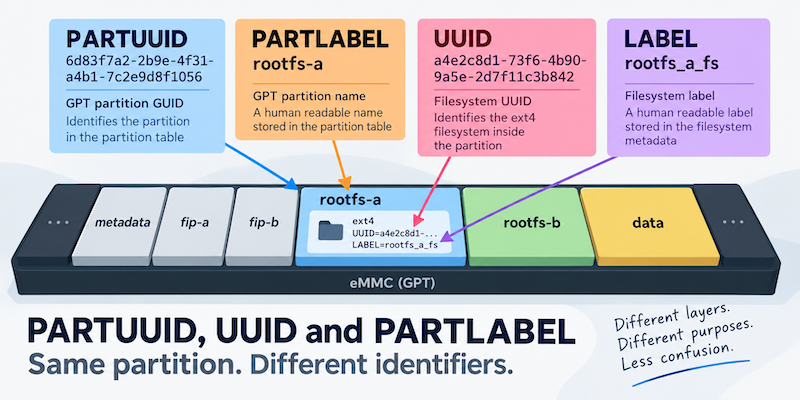
TALES FROM THE TRENCHES · #5
PARTUUID, UUID and PARTLABEL: When a Partition Has Too Many Names
Converting a system to A/B root filesystems and changing UUIDs
Building a Matter Light switch with Yocto: From a String of LEDs to Apple Home
A Lego house, a cheap Raspberry Pi Zero W and a string of LEDs led to a deep dive into integrating Matter with Yocto, from GN and BitBake to GPIO control, commissioning and persistent Matter state.
TALES FROM THE TRENCHES · #4
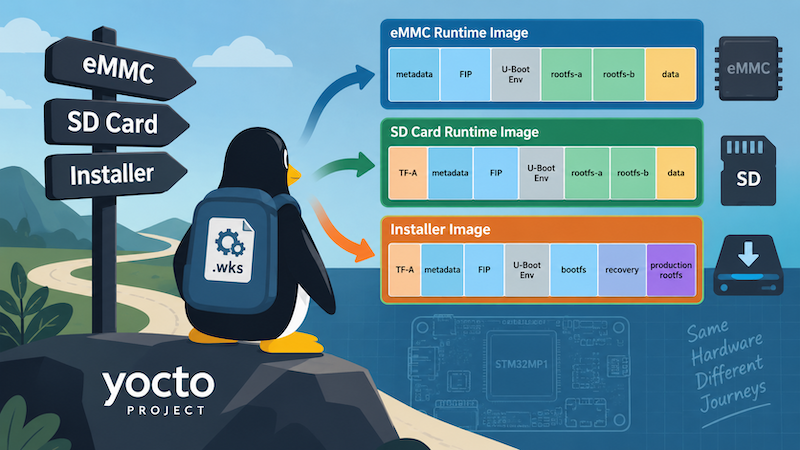
One Yocto Machine, Several WIC Layouts
Selecting different Yocto WIC partition layouts by image purpose and deployment target, while keeping a sensible machine-level default