Articles
Building a Matter Light switch with Yocto: From a String of LEDs to Apple Home
A Lego house, a cheap Raspberry Pi Zero W and a string of LEDs led to a deep dive into integrating Matter with Yocto, from GN and BitBake to GPIO control, commissioning and persistent Matter state.
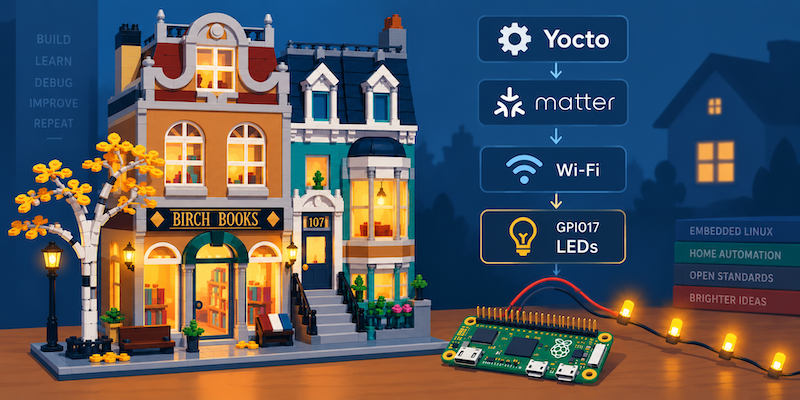
Does It Matter?
My wife - arguably my most important customer - had built a Lego house and wanted a string of LEDs to illuminate it.
The sensible solution would have been some LEDs, a couple of batteries and a switch. Being a techie and being sensible don’t always go together, so that wasn’t going to happen.
We already use HomeKit around the house, so I wanted the lights to be controllable alongside everything else. I also deliberately choose Matter devices where possible because I don’t want our home automation tied permanently to one vendor. Apple Home might be what we use at the moment, but I wanted the interface to the light to be Matter rather than something specific to Apple.
That gave me the beginnings of a project…
I had a cheap Raspberry Pi Zero W lying around that I was willing to sacrifice in the process. It had Linux, Wi-Fi and GPIO, so there was no obvious reason to buy a dedicated development board. The LEDs were equally sophisticated. I cut the battery box off a cheap decorative LED string that had originally been powered by two AA batteries and a switch, and connected the string to the Pi.
For this particular low-current string I drove it directly from the GPIO. This was an ‘quick’ experiment, so I didn’t spend too much time looking into the current limits of the Raspberry Pi’s GPIO. You however should spend the time and check the requirements. Do as I say not as I do!
At that point I had everything necessary to make a light.
Naturally I decided to build the whole thing with Yocto - that’s what I do after all.
Why Yocto?
I could have approached this as a Raspberry Pi project: install Raspberry Pi OS, build one of the ConnectedHomeIP examples, modify it and run it. That wasn’t really what I wanted to investigate.
Given I spend much of my working life with Embedded Linux and Yocto, if I was going to learn Matter, I wanted to understand how it fitted into a Yocto build environment. I had found the NXP Matter layer meta-nxp-connectivity, but this wasn’t an NXP project, and I didn’t want the implementation coupled to an NXP layer or BSP. The Raspberry Pi was just the board I happened to have available. If I later wanted to move the application to another Embedded Linux board, I wanted as much of the Matter integration as possible to move with it.
That meant the compiler, sysroot, Python tools, source dependencies, Matter application and final filesystem all needed to belong to the Yocto build.
That made the project more interesting from two directions. Matter provided a vendor-neutral interface at the application level, while I wanted the Yocto integration underneath it to be similarly independent of the hardware vendor.
Starting with a simple GPIO
Before diving straight into Matter, I wanted to start with something much smaller. For many projects, I like to start simple and the ‘complify’ it. That way, are the system gets more complex I at least know that it is built on good foundations.
I chose GPIO17, physical pin 11 , for the LEDs - no reason at this point other than it was next to the Ground Pin which meant once I had counted down the pins to find the ground, GPIO17 was the next pin along. When your eyesight starts going it is the little things that matter!
My image used libgpiod v2, so I could inspect the line with commands such as:
# gpioinfo -c gpiochip0 17Rather than immediately putting GPIO code into a Matter application, I wrote a tiny utility called light-control.
That gave me:
# light-control on
GPIO17 on

# light-control off
GPIO17 off
and the LEDs obeyed it.
That was deliberately simple, but it gave me a useful boundary for everything that followed. If the Matter application later claimed to turn the light on but nothing happened, I could still run light-control on. If that worked, I knew the kernel, libgpiod, wiring and LEDs were capable of doing what I wanted.
The first version of the system was therefore:
light-control
      |
      v
  libgpiod
      |
      v
   GPIO17
      |
      v
    LEDs
The next job was bringing Matter into the equation.
First I needed Wi-Fi
The Zero W would be running Matter over IP using Wi-Fi.
Initially I didn’t get wlan0.
The Broadcom driver was present, but the image didn’t contain all of the firmware needed by the Pi’s wireless hardware. I added the appropriate Raspberry Pi firmware, including:
linux-firmware-rpidistro-bcm43430and rebuilt the image.
With the firmware available, wlan0 appeared and I could configure the network through NetworkManager and nmcli (Sometimes it really is faster to read the documentation).
ConnectedHomeIP meets BitBake
Matter is the protocol standard, while ConnectedHomeIP is the open-source implementation of that standard that I needed to integrate into Yocto.
The upstream Linux lighting example was a good starting point. It already implemented a Matter light, including the On/Off cluster and the Linux application infrastructure, which meant that eventually I could replace its idea of a light with GPIO17.
First, though, I had to build it…
ConnectedHomeIP has a substantial build environment of its own. It uses GN to generate Ninja builds, Python for various tools, ZAP for generating Matter cluster code and a large collection of third-party dependencies. That’s reasonable when building ConnectedHomeIP in its intended development environment.
Yocto, however, has some fairly strong opinions about who controls a build.
BitBake already knows which compiler should be used. It knows the target architecture and tuning. It provides the sysroot. It builds native tools. It fetches source code and verifies it. It also tries hard to prevent the result depending accidentally on whatever happens to be installed on the build machine.
I didn’t want to run Matter’s setup environment manually, build an executable and then copy it into a Yocto image, as that:
- Goes against everything I tell my customers
- Would have been a much shorter article
I wanted ConnectedHomeIP to live inside the constraints of a Yocto build as that was the whole point of this exercise.
Making GN use the Yocto toolchain
The first requirement was getting GN to use Yocto’s cross compiler.
The Pi Zero W is an ARMv6 system using an ARM1176JZF-S, so I particularly didn’t want the Matter build quietly making assumptions about a generic ARM target.
I used Matter’s custom GN toolchain mechanism and passed the Yocto tools and flags into GN.
The relevant configuration eventually looked along these lines:
target_os="linux"
target_cpu="arm"

target_cc="${CC}"
target_cxx="${CXX}"
target_ar="${AR}"

target_ldflags=string_split("${TARGET_LDFLAGS}")
target_cflags=string_split("${TARGET_CFLAGS}")

sysroot="${RECIPE_SYSROOT}"
pkg_config="${STAGING_BINDIR_NATIVE}/pkg-config"
There were also Matter features that weren’t relevant to this application which I disabled:
matter_enable_tracing_support=false
chip_examples_enable_imgui_ui=false
chip_enable_pw_rpc=false
chip_device_config_enable_wifipaf=false
The important evidence wasn’t the GN configuration itself. It was what Ninja eventually executed.
I saw compiler commands containing:
arm-sb-linux-gnueabi-g++
-marm
-mfpu=vfp
-mfloat-abi=hard
-mcpu=arm1176jzf-s
That told me the build was actually retaining the target tuning coming from Yocto.
I now had two build systems cooperating rather than GN silently bypassing the decisions BitBake had already made.
Moving the GN root
As I moved away from building the upstream example unchanged and towards my own matter-gpio-light application, another set of assumptions surfaced.
GN paths beginning with:
//are relative to the GN source root.
Some of the build_overrides I had brought across from ConnectedHomeIP still assumed the upstream source-tree topology. They contained paths referring to locations such as:
//third_party/connectedhomeipbut ConnectedHomeIP was now part of my application’s source tree.
My GN root was effectively:
//matter-gpio-light-1.0Fixing individual missing-file errors wasn’t a good way to deal with that, so I searched the override files for the old topology and corrected them systematically.
The resulting configuration included paths such as:
build_root = "//matter-gpio-light-1.0/build"
chip_root = "//matter-gpio-light-1.0"
dir_pigweed = "//matter-gpio-light-1.0/third_party/pigweed/repo"
jsoncpp_root = "//matter-gpio-light-1.0/third_party/jsoncpp"
This was one of those integration problems where the error might mention a missing BUILD.gn, but the actual problem is architectural: a set of files copied from one GN project still describe the topology of that project.
Once everything agreed about where // was, the errors started becoming much more useful.
Too many submodules
ConnectedHomeIP has a lot of third-party dependencies, many represented as Git submodules.
Using BitBake’s gitsm:// support initially seemed like an obvious solution.
It wasn’t.
That approach began pulling the entire ConnectedHomeIP submodule world into the build, including dependencies for platforms that had nothing to do with my Raspberry Pi Linux application. Eventually I was dealing with vendor SDK content and Git LFS downloads I didn’t need, so I abandoned that approach.
Instead I fetched ConnectedHomeIP itself and then added third-party repositories explicitly as the build demonstrated that they were required.
For example, the source recipe grew to include:
SRC_URI += " \
    git://github.com/project-chip/connectedhomeip.git;protocol=https;tag=v1.5.1.0;nobranch=1;name=connectedhomeip \
    git://github.com/google/pigweed.git;protocol=https;nobranch=1;name=pigweed;destsuffix=${BP}/third_party/pigweed/repo \
    git://github.com/open-source-parsers/jsoncpp.git;protocol=https;nobranch=1;name=jsoncpp;destsuffix=${BP}/third_party/jsoncpp/repo \
    git://github.com/nestlabs/nlassert.git;protocol=https;nobranch=1;name=nlassert;destsuffix=${BP}/third_party/nlassert/repo \
    git://github.com/nestlabs/nlio.git;protocol=https;nobranch=1;name=nlio;destsuffix=${BP}/third_party/nlio/repo \
"
with the revisions pinned - after all just because I wasn’t getting paid to do this doesn’t mean I shouldn’t still follow best principles for reproducibility. I can see that once the initial prototype has passed the exacting QA standards of my customer, she will be wanting additional models with enhanced features and there is always the need to debug.
It was more work than recursively fetching .gitmodules, but it meant the recipe described the dependencies of the application I was actually building rather than every environment ConnectedHomeIP supports.
Reproducing the environment rather than activating it
Another recurring theme was ConnectedHomeIP’s setup environment. For a developer building Matter examples interactively, having a script construct the expected environment makes sense. Inside BitBake I wanted the opposite: identify what the build genuinely required and make those things explicit dependencies.
One small example was:
build_overrides/pigweed_environment.gniMatter’s setup process generates this file and GN imports it.
For my build, an empty generated file was sufficient, so rather than invoke a much larger bootstrap process, the recipe did:
echo "# Generated by Yocto for Matter build" \
    > ${S}/build_overrides/pigweed_environment.gni
It wasn’t glamorous, but it was representative of the integration: keep Matter’s build logic where it was useful, while making BitBake responsible for constructing its environment.
Finding all the Python pieces
The next collection of failures came from Python.
As the build progressed it exposed dependencies on modules including:
python-path
Jinja2
Lark
Click
Some were already available through my layers. Others needed recipes.
For example, I added a python3-python-path recipe and made it available as a native dependency:
PYPI_PACKAGE = "python_path"

inherit pypi python_setuptools_build_meta

BBCLASSEXTEND = "native"
I did the same sort of thing for Lark.
Eventually the recipe’s native dependencies included the pieces required to execute Matter’s generation tools inside BitBake’s controlled environment.
Then I hit a slightly different Python problem. The GN-generated actions were trying to run:
pythonI had
python3Fortunately, after many, many swear words, I found I could use the GN option --script-executable which lets you specify the interpreter placed into generated Ninja rules.
My gn gen therefore became:
gn gen ${B} \
    --root=${S} \
    --script-executable="${STAGING_BINDIR_NATIVE}/python3-native/python3" \
    ...
That removed another implicit assumption about the host environment.
And then there was ZAP
Matter uses ZAP to generate code from its cluster definitions. That meant I also needed ZAP as a native build tool.
The version metadata in Matter referred to:
version:v2025.10.23-nightly.2but that wasn’t quite the GitHub release name.
The .2 was associated with the package metadata used by Matter’s tooling. The corresponding GitHub release was:
v2025.10.23-nightlyand the x86-64 Linux archive I needed was:
zap-linux-x64.zipI turned that into a zap-native recipe and pinned the archive checksum.
That got ZAP into BitBake’s native sysroot, but it also introduced one of the stranger failures in the project.
When uninative modified ZAP
The ZAP bundle contains a packaged executable.
Yocto’s uninative handling quite reasonably examines native ELF executables and can adjust their interpreter so that native tools work consistently across build hosts.
In this case, modifying the packed ZAP executable broke its embedded payload.
The file existed. It had been staged. It looked as though everything should work. But the executable itself no longer behaved correctly.
Once I traced the problem back to uninative processing, the native recipe change needed to prevent that transformation:
SSTATEPOSTUNPACKFUNCS:remove = "uninative_changeinterp"After restaging the native dependency, ZAP worked correctly.
This was probably the point where my apparently straightforward idea of “build a Matter light switch with Yocto” was furthest removed from the LEDs sitting on my desk and I really was asking if it did matter.
But BitBake was now constructing the Matter toolchain rather than relying on an environment I’d configured manually.
Producing an actual package
Eventually GN and Ninja completed the Matter application build. That still didn’t mean Yocto could put it in an image.
My first image build failed with:
opkg_solver_install: No candidates to install matter-gpio-lightBitBake knew about the recipe, but there wasn’t a useful runtime package containing the executable.
I could have hidden that with:
ALLOW_EMPTY:${PN} = "1"but then I’d have successfully installed an empty package, which wasn’t really progress.
The recipe needed a complete lifecycle: configure, compile and install the resulting binary into ${D} so that normal packaging could pick it up.
Once that was correct, the deploy directory contained:
matter-gpio-light_1.0-r0_arm1176jzfshf-vfp.ipkand matterdemo-image built with the application included.
ConnectedHomeIP was finally a normal component of my Yocto image. Now I could get back to the light…
Matter was working, but the LEDs weren’t
The upstream Linux lighting application already had a LightingManager, which made a convenient boundary between the Matter On/Off cluster and the representation of a light.
Sending a Matter command produced logs along the lines of:
Received command for Endpoint=1
Cluster=0x0000_0006
followed by:
LightingManager::InitiateAction(OFF_ACTION)Matter thought it had turned the light off.
The LEDs remained on.
This was exactly why I’d written light-control first.
I could stop worrying about Matter for a moment and run:
# light-control off
GPIO17 off
The LEDs went off.
The physical path still worked.
The problem was simply that the upstream Matter application wasn’t connected to my GPIO.
Replacing the imaginary light
I added libgpiod to the application’s Yocto dependencies:
DEPENDS += "libgpiod"and made it available to the GN build through pkg-config.
I then connected LightingManager to GPIO17.
The next Matter command produced something much more satisfying:
LightingManager::InitiateAction(OFF_ACTION)
GPIO17 request succeeded, setting OFF
I could independently check the state with:
# gpioget --as-is -c gpiochip0 17
"17"=inactive
and the physical LEDs changed.
The stack now looked like this:
Matter On/Off
     |
     v
LightingManager
     |
     v
  libgpiod
     |
     v
  GPIO17
     |
     v
   LEDs
The LEDs that had started life connected to two AA batteries were now being controlled through a Matter cluster by an application cross-compiled by Yocto.
There was still one fairly significant step missing. I wanted to control them from the same home automation system as everything else.
Commissioning
The Matter application started with the standard development commissioning information:
Setup PIN:       20202021
Discriminator:   3840
and generated a Matter QR payload:
MT:-24J042C00KA0648G00There was also a manual pairing code:
34970112332During development I’d already commissioned the device using chip-tool. That became relevant when I tried to add it to Apple Home.
The application reported:
Fabric already commissioned. Disabling BLE advertisementThe device wasn’t factory-new any more. It already belonged to the development fabric I’d created with chip-tool.
Matter supports multiple administrators, so I didn’t need to erase everything, I just needed to open another commissioning window.
Opening the commissioning window
I initially tried the Administrator Commissioning cluster’s basic commissioning command. The device’s AcceptedCommandList showed that wasn’t supported by this implementation. It supported OpenCommissioningWindow and RevokeCommissioning.
Using the enhanced commissioning command introduced another requirement:
NEEDS_TIMED_INTERACTIONAdministrator Commissioning needed to be performed as a timed interaction.
It also required SPAKE2+ commissioning parameters, including a verifier.
ConnectedHomeIP includes a Python helper for generating that:
scripts/tools/spake2p/spake2p.pyMy first attempt failed because the development environment was missing the Python ecdsa module.
Once that was available, I generated the verifier using the development passcode and a salt:
python scripts/tools/spake2p/spake2p.py gen-verifier \
    -p 20202021 \
    -s MDEyMzQ1Njc4OWFiY2RlZg== \
    -i 1000
With the verifier, discriminator, iteration count and salt, chip-tool could open an enhanced commissioning window using a timed interaction.
The device’s commissionable mDNS advertisement changed accordingly.
Apple Home could now attempt to join it.
Then the crypto failed.
An OpenSSL error
During PASE setup the application produced:
CHIPCryptoPALOpenSSL.cpp:1112:
CHIP Error 0x000000AC: Internal error
The failure was inside the OpenSSL implementation used by Matter’s SPAKE2+ code.
The relevant code was failing around:
EC_POINT_oct2point(...)which converts the received encoded elliptic-curve point into an OpenSSL EC_POINT. Rather than start changing cryptographic code, I wanted to see what it was being given, so I added a diagnostic immediately around the failing path:
ChipLogError(Crypto,
             "PointLoad: in_len=%zu first=0x%02x",
             in_len,
             in_len > 0 ? in[0] : 0);
A P-256 point in uncompressed form is 65 bytes and begins with 0x04.
Most calls showed exactly that:
PointLoad: in_len=65 first=0x04Then one showed:
PointLoad: in_len=65 first=0x46That was suspicious enough to move the instrumentation further upstream. I added another diagnostic immediately before PointLoad() in Spake2p::ComputeRoundTwo():
ChipLogError(Crypto,
             "ComputeRoundTwo: in_len=%zu first=0x%02x",
             in_len,
             in_len > 0 ? in[0] : 0);
Because ConnectedHomeIP was nested inside my application’s source tree, these debugging patches also exposed another small BitBake detail: they needed to be applied with the appropriate:
patchdir=${BP}rather than at the outer source directory.
I rebuilt the complete image and tried commissioning again. This time every point I logged was:
in_len=65 first=0x04and the OpenSSL failure didn’t happen. More importantly, Apple Home successfully commissioned the light.
I never established why I’d seen the 0x46.
It would be tempting to turn the diagnostics into a neat story about finding and fixing a corrupt elliptic-curve point, but that isn’t what happened. I observed one bad value, added instrumentation to determine where it entered the SPAKE2+ path, rebuilt the system, and the failure disappeared.
I don’t know the root cause. I may go back and investigate. I may also forget about it and move on to the next project and earn enough money so my wife can buy more Lego…
The LEDs appear in Apple Home
After all of that, I finally had a light tile in Apple Home.
I tapped it. The Matter application logged the On/Off command, LightingManager changed GPIO17 and the cheap string of LEDs inside the Lego house came on.
The complete path was now:
      Apple Home
           |
           v
         Matter
           |
           v
          Wi-Fi
           |
           v
 Raspberry Pi Zero W
           |
           v
  matter-gpio-light
           |
           v
    LightingManager
           |
           v
       libgpiod
           |
           v
        GPIO17
           |
           v
         LEDs
That was the original goal achieved. Or so I thought…
Then I moved it
Once it worked, I moved the Pi and Lego house to where they were actually going to live.
After powering everything up again, Apple Home still remembered the accessory. The Raspberry Pi didn’t.
Looking at the Matter startup logs revealed:
ChipLinuxStorage::Init:
Using KVS config file: /tmp/chip_kvs
The associated Matter state files had also been created under /tmp.
That was fine for a Linux example which is frequently started, stopped and reset during development. It wasn’t fine for my light. The act of moving it had forced the first real power-cycle test of the finished device. The volatile filesystem had disappeared, taking the Matter state with it.
Apple Home still possessed its side of the fabric relationship. The device had forgotten its side. That left them with incompatible views of the world.
Giving Matter somewhere permanent to live
I first checked whether I really needed to patch ConnectedHomeIP’s Linux platform configuration.
The application already supported:
--KVS
    A file to store Key Value Store items.
So, I created persistent state under:
/var/lib/matter-gpio-light/and changed the application command line to:
/usr/bin/matter-gpio-light \
    --KVS /var/lib/matter-gpio-light/chip_kvs
The logs confirmed that the persistent KVS was being selected:
ChipLinuxStorage::Init:
Using KVS config file:
/var/lib/matter-gpio-light/chip_kvs
After recommissioning, the fabric information was no longer dependent on /tmp.
There was one final transition to make. Up to this point, much of the development had involved running the application manually. I don’t want to be called to log in to the board and start the application every time the power gets applied.
Running it as a service
I wrapped matter-gpio-light in a systemd service:
[Unit]
Description=Matter GPIO Light
After=network-online.target
Wants=network-online.target

[Service]
Type=simple
ExecStartPre=/usr/bin/mkdir -p /var/lib/matter-gpio-light
ExecStart=/usr/bin/matter-gpio-light --KVS /var/lib/matter-gpio-light/chip_kvs
Restart=on-failure
RestartSec=2

[Install]
WantedBy=multi-user.target
and enabled it:
# systemctl enable --now matter-gpio-light.serviceSystemd showed the expected process:
/usr/bin/matter-gpio-light
    --KVS /var/lib/matter-gpio-light/chip_kvs
and the journal showed successful Matter traffic:
Received status response, status is 0x00 (SUCCESS)There was only one test that really mattered now.
I rebooted it.
The Pi came back up. matter-gpio-light started automatically. The Matter state survived, the accessory returned in Apple Home and the LEDs could once again be controlled without commissioning the device again.
That was a rather more convincing definition of “working” than the one I’d used the first time and it was ready to demonstrate to the customer.
Back to the Lego house
What started as a request to put some lights in a Lego house had ended up involving considerably more technology than the two AA batteries the LEDs originally used.
I hadn’t chosen the Raspberry Pi Zero W because it was the ideal Matter platform. It was a cheap board I already owned and was prepared to sacrifice.
I hadn’t chosen Matter because I specifically wanted to build an Apple accessory. Quite the opposite: I wanted the light to use a standard that wasn’t tied to the home automation ecosystem we happen to use today. Apple Home was the first real external Matter controller I used to prove it.
And I hadn’t used Yocto because it was the shortest route to turning the LEDs on. It clearly wasn’t.
I used it because I wanted to understand how Matter fitted into the Embedded Linux environment I already work with.
That meant dealing with the parts hidden by a vendor SDK or a preconfigured development environment: cross-compiling ConnectedHomeIP with the correct target tuning, making GN and BitBake cooperate, identifying the actual source dependencies, packaging native Python tools, integrating ZAP, dealing with uninative, turning the result into a real runtime package, connecting the Matter application to Linux GPIO and deciding which state actually needed to survive a reboot.
There were also parts outside Yocto that I hadn’t expected to investigate: multi-admin commissioning, timed Matter interactions, SPAKE2+ verifier generation, PASE and an OpenSSL failure whose root cause I still can’t honestly claim to know.
The final hardware remains remarkably unsophisticated.
It’s a Raspberry Pi Zero W connected to a cheap string of LEDs that used to run from two AA batteries.
But now my wife can tap a light in our home automation system and illuminate her Lego house - which was all she asked for in the first place.
She may not care about the all the moving parts needed to achieve the goal, but I now have an understanding of integrating a Matter toolkit into a Yocto build which is something that a paying customer may want one day, and that is why I chose the more involved path.
Well, that and I do actually enjoy what I do!
Related posts
Browse all posts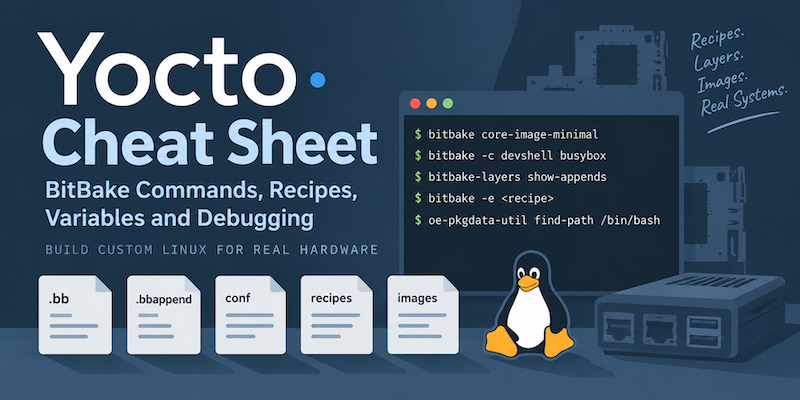
Yocto Cheat Sheet: BitBake Commands, Recipes, Variables and Debugging
A practical Yocto cheat sheet covering common BitBake commands, recipes, bbappend files, variables, packages, debugging and useful build paths.
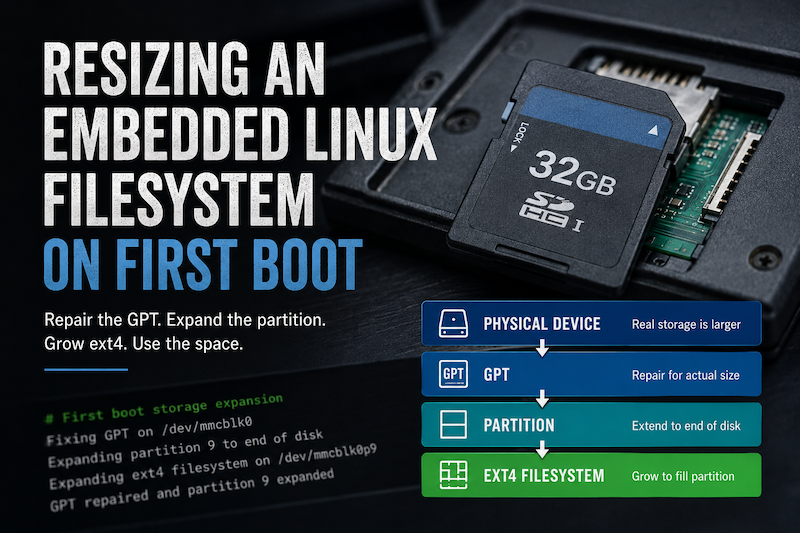
TALES FROM THE TRENCHES · #2
Resizing an Embedded Linux Filesystem on First Boot
Automatically expanding a Yocto root filesystem on first boot, from repairing the GPT through to resizing the ext4 filesystem.
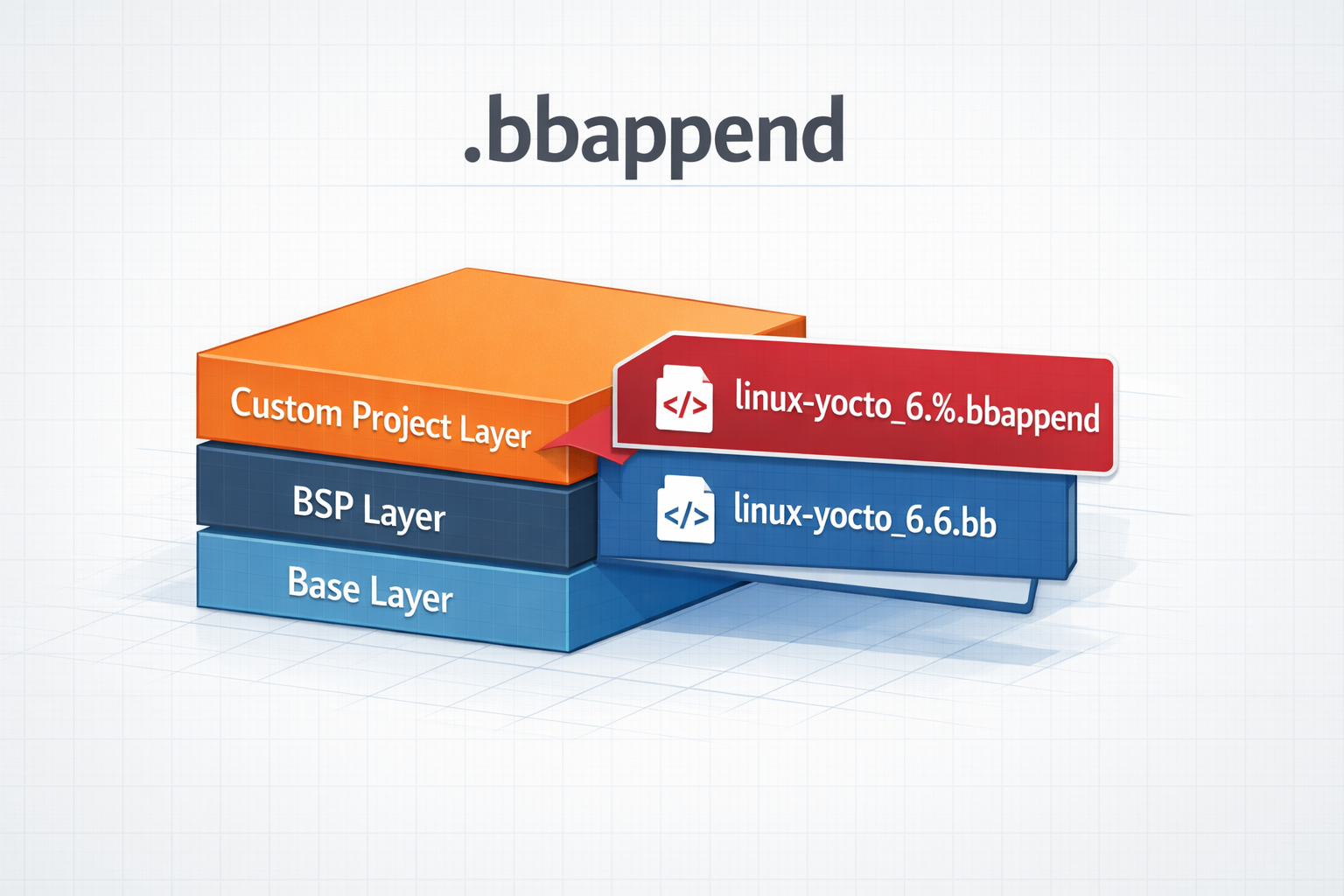
.bbappend files in a Yocto Project
How to use .bbappend files in a Yocto Project - A brief guide